Summer vacation often starts with excitement. no school, no homework, and long free days. But after a few days, a common pattern appears. Children spend hours on mobile phones, watching videos, scrolling, or playing repetitive games. While it keeps them occupied, it rarely adds meaningful value to their growth.
Now imagine a different kind of summer, one where children are still having fun, but at the same time building skills that will shape their future. Instead of only consuming technology, they start creating it. This is where Artificial Intelligence (AI) and Robotics come in.
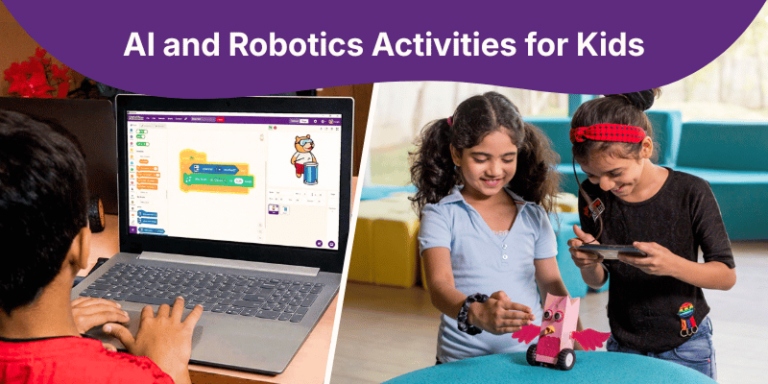
AI and Robotics are no longer just advanced topics for engineers; they are becoming accessible, interactive, and even playful for school students. With the right activities, children can build games, animate stories, train simple AI models, and even control robots, all while enjoying the process. These activities are fun because they feel like play, creative because children design their own ideas, and educational because they develop real-world skills without feeling like traditional studying.
Why AI and Robotics During Summer?
Exploring AI and Robotics during summer helps students build future-ready skills like problem-solving, creativity, and logical thinking in a fun, hands-on way. It turns holiday time into a productive learning experience where technology meets innovation. Students also gain exposure to real-world applications, preparing them for emerging careers.
The Future is AI-Driven
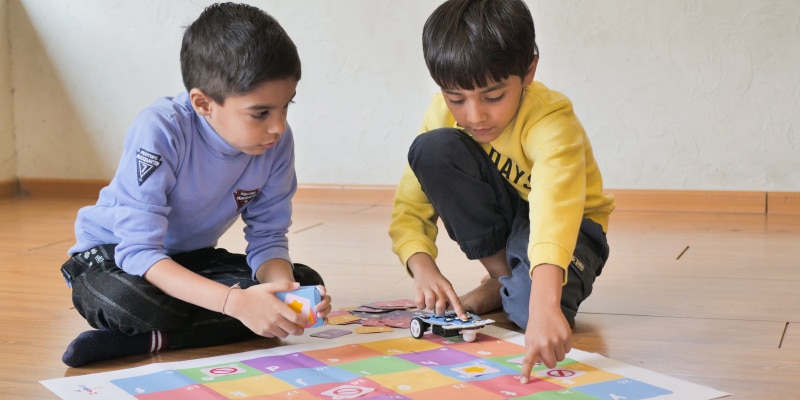
AI and Robotics are already part of our daily lives, even if we don’t always notice it. When we use voice assistants like Google Assistant or Alexa, watch recommended videos on YouTube, or unlock our phones using face recognition, we are interacting with AI. Robots are used in industries, hospitals, and even homes for automation tasks.
Introducing students to these technologies early helps them understand the world they are growing up in. For example, when a child creates a simple face detection project, they begin to understand how apps recognize faces in real life.
Benefits for Students
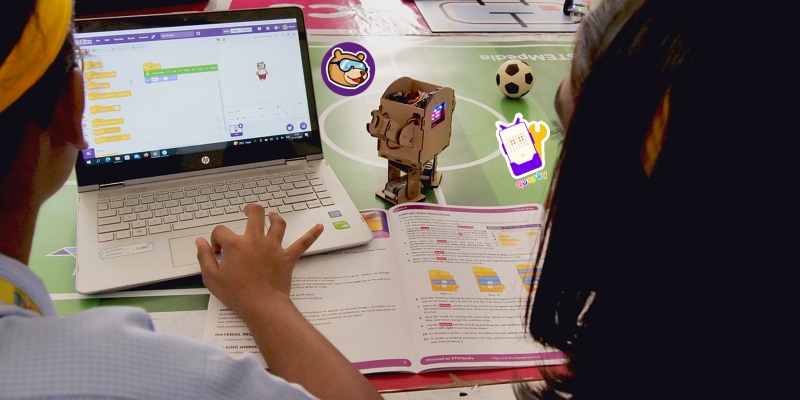
Learning AI and Robotics offers multiple benefits beyond just technical knowledge. It improves logical thinking because students learn how to break problems into steps. Creativity increases as they design stories, games, and solutions. Problem-solving skills develop when their code doesn’t work and they need to fix it. Most importantly, confidence grows when they see their ideas come to life.
For instance, when a student builds a small chatbot that answers questions, they feel a sense of achievement that boosts their confidence.
Why Summer is the Best Time
Summer is the perfect time to explore AI and Robotics because there is no academic pressure. Students have the freedom to experiment, make mistakes, and learn at their own pace.
For example, during school days, a child may not have time to complete a full project. But in summer, they can spend a few hours daily building something meaningful, like a game or a robot, and see it evolve step by step.
Fun AI Activities to Try at Home
Using Block Coding for a quick visual start and Python for a more professional, text-based experience. By building and programming their own machines, students develop a deep understanding of engineering, electronics, and the mechanics that power the modern world.
AI Flappy Bird Game using PictoBlox
Flappy Bird Game in PictoBlox is an activity where a game similar to Flappy Bird is created and controlled using artificial intelligence. Instead of manual controls, an AI model (like pose or face detection) is trained to recognize user actions such as blinking or moving the head to make the bird jump. The bird sprite animates and navigates through obstacles based on these inputs, making the game interactive and hands-free. This project shows how AI can be applied to control games in a fun and innovative way.
Story Animation using Block Coding in PictoBlox
An Animated Story in PictoBlox is an activity where students create an interactive story using sprites. The user can give inputs such as voice or text, and AI features like speech recognition or text generation help shape the story dynamically. Characters on the screen animate, speak, and react based on the storyline, making the experience engaging and personalized. This activity demonstrates how AI can be used creatively to build interactive storytelling applications.
Waste Sorter using Python in PictoBlox
A Waste Sorter using ML and animation in PictoBlox is an activity where a camera is used to capture images of waste items, and a machine learning model is trained to classify them into categories like plastic, paper, or metal. Once the model predicts the type of waste, the program uses animations to show the item moving into the correct bin on the screen. This project helps demonstrate how artificial intelligence can be used for smart waste management while making learning interactive through visual animation.
Robotics Activities
Robotics brings coding to life by moving it from the computer screen into the physical world. Through these activities, students learn how to bridge the gap between software and hardware, turning abstract logic into real-world action. Using robotic kits children explore how machines perceive their surroundings, make decisions, and interact with the environment through sensors and motors.
Beginner Level
Line-Following Robot
A Line-Following Robot is an activity where a robot is programmed to follow a predefined path (usually a black line) using sensors. The robot detects the line with its IR sensors and continuously adjusts its movement to stay on track. Based on the sensor input, it moves forward, turns left, or turns right automatically. This project helps demonstrate basic robotics concepts like sensor feedback, automation, and real-time decision-making.
Intermediate Level for Grades 6–8
Obstacle-Avoiding Robot
Using Quarky as an “Obstacle-Avoiding Robot.”
- Students connect an ultrasonic sensor to Quarky
- They program it so that if distance < 10 cm, the robot turns
- Otherwise, it moves forward
When the robot moves and automatically changes direction upon detecting an object, students clearly see how sensors and logic work together—just like in real-world automation systems.
Another engaging AI-based activity is a “Voice-Controlled Game.” Students can train the system with commands like “jump,” “left,” and “right.” Then they create a game where:
- Saying “jump” makes the character jump
- Saying “left” moves it left
This introduces them to voice recognition and makes the project highly interactive and fun.
Advanced Level
Quarky IoT House
A Quarky IoT House in PictoBlox using Quarky STEM Robot is an activity where students build a smart home model that can be controlled through the internet. Using sensors and actuators connected to Quarky, features like automatic lights, temperature monitoring, and smart door control are implemented. The system can be managed remotely via IoT platforms, allowing users to control appliances from a phone or computer. This project demonstrates how Internet of Things technology is used to create intelligent and automated homes.
Tools & Platforms to Get Started
PictoBlox is an excellent tool that combines block coding, AI, and robotics in one platform. It is ideal for beginners and intermediate learners who want to explore multiple concepts in one place.
Scratch is perfect for beginners who want to start with simple animations and games. It focuses on creativity and basic coding concepts.
Teachable Machine allows students to create simple AI models like image or sound recognition without coding. It is great for understanding how AI works in a simple way.
5-Day Summer Learning Plan
On Day 1, students can start with block coding basics, learning how to move characters and use simple commands. For example, making a character walk across the screen.
Day 2 can focus on animation and storytelling, where students create their own animated story with dialogues and actions.
Day 3 can introduce AI basics like face or voice recognition. For instance, creating a project where clapping triggers an action.
Day 4 can be dedicated to robotics and sensors, such as building a simple obstacle-detection system.
Day 5 can be a final creative project where students combine everything they learned. For example, a smart game or a mini robot project.
Learning Outcomes
By the end of these activities, students become more confident in using technology. They gain a basic understanding of AI and how it works in real life.
Their creativity improves as they build their own projects, and they develop an innovation mindset. Most importantly, they get early exposure to future career fields, which can inspire them to explore technology further.
In a Nutshell
Summer learning does not have to feel like studying. With AI and Robotics, it can be exciting, creative, and meaningful at the same time. Starting with small projects can open the door to big ideas.
A simple animation today can lead to advanced innovation tomorrow. The skills children build during these few weeks can shape their thinking for years to come. After all, today’s small projects can truly become tomorrow’s big innovations.