Children encounter automated systems every day, from motion-sensing doors and robotic vacuum cleaners to smart appliances and voice-controlled devices. Yet using technology does not necessarily help them understand how it works.
Robotics changes that relationship. It gives children an opportunity to build a physical system, write instructions, connect sensors, observe the result, and improve their design. The learning is visible: when a robot turns in the wrong direction or fails to detect an obstacle, students can investigate the cause and try another solution.
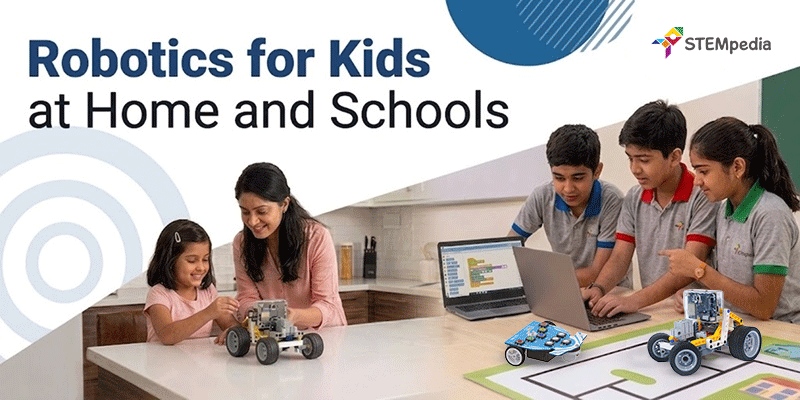
The process of introducing robotics to kids should, however, look different at home and in school. Parents need activities that are manageable, engaging and suitable for independent exploration. Schools need structured progression, trained teachers, adequate equipment, assessment and regular access.
This guide explains how parents and educators can introduce robotics gradually from screen-free sequencing and simple movements to block coding, sensors, Python and open-ended projects without overwhelming children or reducing robotics to a one-time assembly activity.
Answer at a Glance
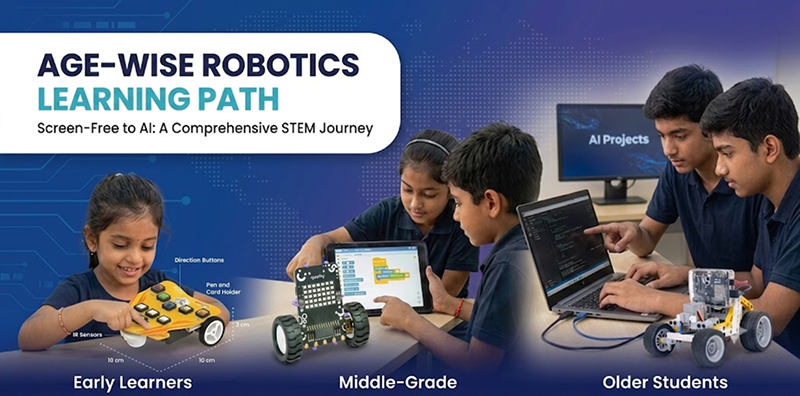
The most effective way to introduce robotics is to begin with a simple, visible outcome and increase the complexity gradually.
At home, parents can start with storytelling, movement games, screen-free sequencing, or a beginner robot that follows simple commands. Children can then modify guided projects and create small challenges.
At school, robotics should follow a grade-wise learning progression supported by curriculum, teacher training, shared equipment, project documentation and assessment.
There is no single recommended starting age for introducing robotics. The activity should match the child’s ability to read, follow sequences, handle components, and sustain attention.
| Age range | Suitable introduction | Main focus |
| 4–7 years | Screen-free sequencing, direction cards, button-controlled robots and storytelling | Cause and effect, order, direction and communication |
| 8–11 years | Construction kits, block coding, motors and simple sensors | Loops, conditions, mechanisms and debugging |
| 12–14 years | Electronics, multiple sensors, IoT, AI and introductory Python | System design, algorithms and autonomous behaviour |
| 15+ years | Advanced Python, computer vision, robotic arms and independent projects | Optimisation, engineering design and real-world applications |
The goal is not to make the robot move. Children should understand what instruction, component, or sensor caused the movement and how to change the outcome.
Starting Your Child’s Robotics Journey at Home
Introducing robotics at home can be simple, playful, and highly rewarding. With an age-appropriate kit, a few guided challenges, and thoughtful questions from parents, children can begin learning how robots move, sense, respond, and improve—one small project at a time.
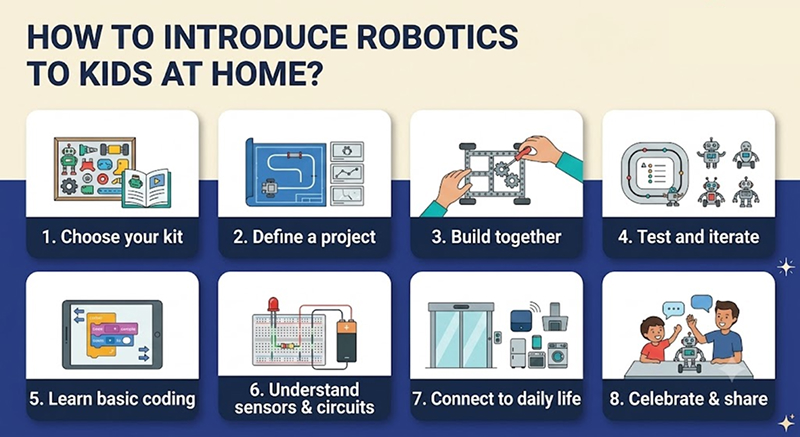
Home robotics can begin with a table, an age-appropriate kit, safe storage, and a simple activity plan.
1. Explore Familiar Robots
Discuss everyday automated systems such as traffic lights, elevators, smart lights, and robotic vacuum cleaners.
Ask:
- What does it detect?
- What decision does it make?
- What action does it perform?
2. Try an Unplugged Activity
Let the child programme you using exact commands such as:
Move forward → Turn right → Pick up the object → Stop
This helps them understand sequencing and precise instructions.
3. Choose a Simple First Project
Begin with an achievable task such as:
- Moving and stopping a robot
- Turning on an LED
- Playing a sound
- Following a short route
- Avoiding one obstacle
4. Complete a Guided Build
Allow the child to explore the components, motors, sensors, connections, and coding interface. Provide support without completing the project for them.
5. Modify the Project
Ask the child to change one feature, such as speed, direction, sound, repetition, appearance, or sensor response.
6. Create a Small Challenge
Turn the project into a mission, such as navigating a maze, delivering a message, moving objects, or detecting dry soil.
7. Encourage Explanation
Ask the child what worked, what failed, what they changed, and what they would improve next. This shows whether they genuinely understand the project.
How Parents Should Support Robotics Learning
Parents do not need to be robotics experts. They should encourage children to explore, test, and solve problems independently.
Instead of giving direct answers, ask:
- What happened before the error?
- Is the correct sensor or motor selected?
- Which part can we test separately?
- What change could improve the result?
Building Robotics Skills with STEMpedia in Schools
Robotics in schools should be more than a one-time activity—it should be a structured learning journey that grows with students. With the right curriculum, equipment, teacher training, and projects, learners can progress from simple sequencing to AI, IoT, and autonomous robotics.
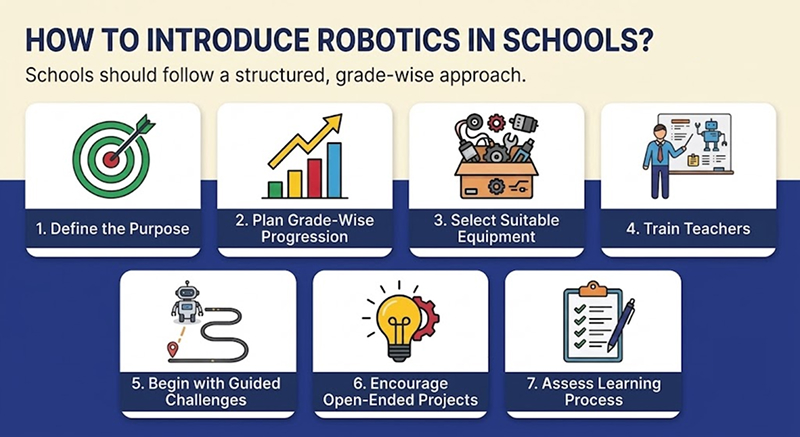
1. Define the Purpose
Decide whether robotics will support coding, STEM learning, competitions, vocational skills, or an AI and Robotics Lab.
2. Plan Grade-Wise Progression
- Primary: Sequencing, screen-free coding, lights, sounds, and simple movement
- Middle: Motors, sensors, loops, line following, and automation
- Secondary: Python, IoT, AI, computer vision, and autonomous robots
PictoBlox supports this progression through Block Coding, Python, AI, and robotics tools.
3. Select Suitable Equipment
Consider class size, group size, number of kits, storage, charging, maintenance, device compatibility, and technical support.
4. Train Teachers
Teachers should learn hardware setup, coding, troubleshooting, safety, classroom management, and project assessment.
5. Begin with Guided Challenges
Start with projects such as obstacle avoidance, line following, smart streetlights, alarms, or plant-watering systems.
6. Encourage Open-Ended Projects
Students can solve real problems related to water, waste, road safety, agriculture, health, or energy using:
Identify → Plan → Build → Code → Test → Improve
7. Assess the Learning Process
Evaluate planning, coding logic, testing, teamwork, debugging, presentation, and improvement—not only the final robot.
How STEMpedia Supports Robotics at Home and in School
STEMpedia provides a connected progression across early learning, robotics, coding and artificial intelligence.
Wizbot for Early Learners
Wizbot is designed for children aged 4–10 and uses button-based, play-oriented learning to introduce sequencing, direction and computational thinking. It can provide a screen-free starting point before children move towards digital coding.
For Parents: Begin with an age-appropriate activity that your child can understand and modify. Explore Wizbot for early, play-based learning or Quarky for hands-on robotics, coding, and AI projects.
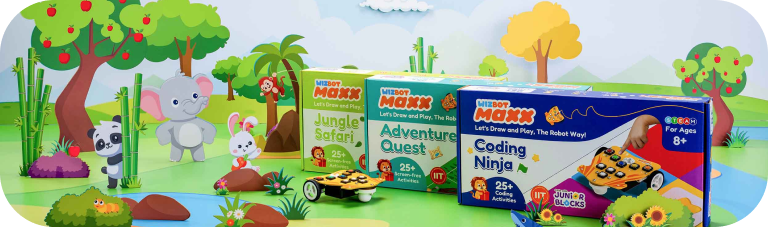
Quarky for Hands-On AI and Robotics
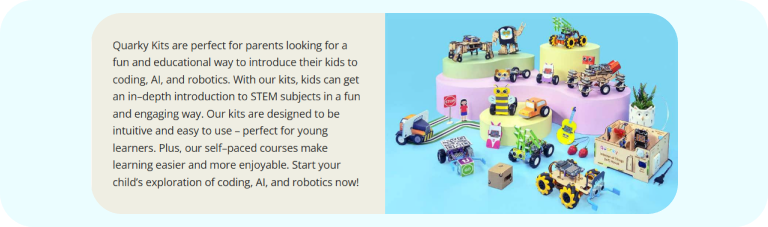
Quarky is positioned for learners aged 8+ and supports projects involving movement, sensors, displays, AI and robotics. Its broader kit ecosystem includes configurations for mobile robots and more specialised projects.
For Schools: Build a structured robotics programme with equipment, curriculum, teacher resources, training and implementation support.
PictoBlox for Block Coding and Python
PictoBlox allows beginners to start with graphical coding and progress to Python, AI, machine learning and hardware-based projects. It is available across desktop and mobile platforms, although specific hardware and upload capabilities may vary by device.
For Students: Start with movement and block coding, then progress towards sensors, Python, AI and independent robotics projects through PictoBlox.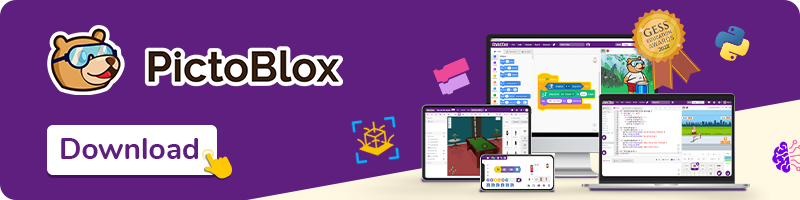
Quarky Intellio for Advanced Intelligent Projects
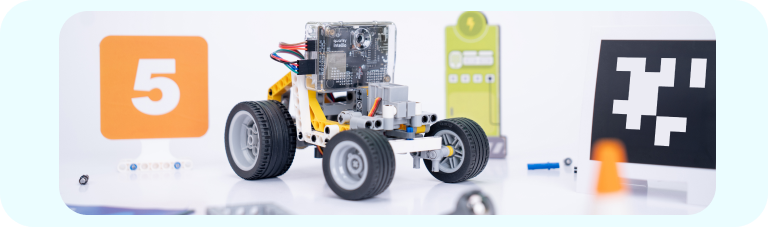
Quarky Intellio takes learners further with an integrated camera, microphone, speaker, computer vision, augmented reality, and intelligent robotics capabilities.
For schools, STEMpedia provides robotics and AI programmes that combine equipment, grade-wise learning resources, teacher development programmes, and implementation support. This helps schools move beyond occasional activities towards a regular learning pathway.
Conclusion
Introducing robotics to kids is about building skills step by step—not starting with advanced technology. At home, children can begin with simple games and guided projects, while schools need a structured curriculum, trained teachers, and regular hands-on practice. In both settings, the learning cycle remains the same: plan, build, code, test, and improve.