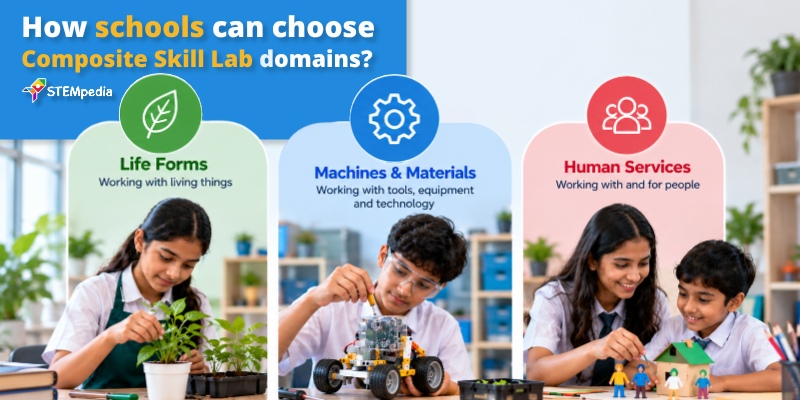
A Composite Skill Lab (CSL) is designed to help students understand different forms of practical work through hands-on activities, projects, and real-world applications. The NCF-SE 2023 framework structures skill education around three broad Forms of Work:
- Work with Life Forms
- Work with Machines and Materials
- Work in Human Services
Within this framework, Work with Machines and Materials focuses on practical experiences involving tools, machines, technology, engineering, and materials. Students learn not only how technology works, but also how to design, build, test, troubleshoot, and improve solutions.
STEMpedia’s CSL model connects this Form of Work with AI, Robotics, and ICT, giving students opportunities to work with coding, electronics, automation, robotics, 3D design, engineering, and other hands-on technologies.
The objective is not simply to teach students how to use technology. It is to help them become makers and problem-solvers who can understand a problem, build a solution, test it, and improve it.
Code → Build → Test → Troubleshoot → Innovate
For a beginner-level understanding of the broader CSL framework, see What Is a Composite Skill Lab? A Complete Beginner’s Guide for CBSE Schools.
What Is Work with Machines and Materials?
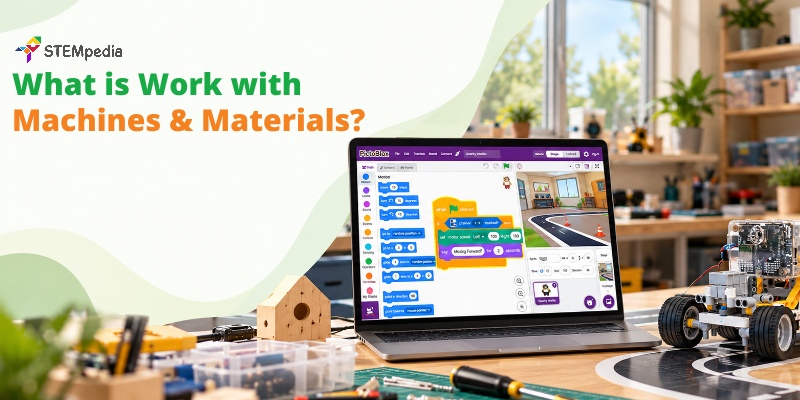
Work with Machines and Materials covers practical activities involving tools, machines, engineering, technology, and the physical process of making things.
In a Composite Skill Lab, students can explore areas such as:
- AI and Robotics
- ICT and coding
- Electronics
- Automation
- 3D design and prototyping
- Engineering
- Drone and aeromodeling
- Fashion and tie-dye
The focus is on learning through making and experimentation. Students build circuits, write programs, test mechanisms, work with materials, identify problems, and refine their designs.
The learning cycle can be summarised as:
Code → Build → Test → Troubleshoot → Innovate
This makes the Machines and Materials track different from conventional computer-based learning. Students move from simply interacting with technology to understanding how to design and use technology to solve problems.
AI, Robotics and ICT — STEMpedia’s Technology Track
STEMpedia’s approach to Work with Machines and Materials brings together AI, robotics, coding, electronics, automation, and design as connected skills rather than isolated topics.
1. AI and Robotics
Students build and program robots using sensors, motors, controllers, and intelligent systems.
They learn how machines can:
- Sense their surroundings
- Receive inputs
- Make decisions
- Perform actions
- Respond to changing conditions
This allows students to move from basic robotic movements towards more advanced applications such as autonomous systems and AI-enabled projects.
2. ICT and Coding
Coding provides the logic behind many of the systems students build.
Using platforms such as PictoBlox, students can begin with block-based programming and gradually progress to Python. PictoBlox supports coding alongside AI, machine learning, IoT, robotics, 3D modelling, and other technology applications.
The progression can therefore move from:
Block Coding → Python → AI → Robotics → Real-World Applications
3. Electronics
Electronics introduces students to the physical components behind digital systems.
Students can work with:
- Circuits
- Sensors
- Motors
- LEDs
- Microcontrollers
- Input and output devices
This helps students understand the relationship between physical components and software instructions.
4. Automation
Automation combines sensors, programming, and actuators to create systems that can respond automatically.
Students can explore examples such as:
- Automatic lighting
- Smart home systems
- Sensor-based machines
- Automated irrigation
- Robotic systems
The emphasis is on understanding how an input can trigger a programmed response.
5. 3D Design and Prototyping
Students can create digital designs and translate them into physical prototypes.
This introduces the design process:
Imagine → Design → Prototype → Test → Improve
It also helps students understand how digital modelling connects with physical product development.
6. Engineering and Aeromodeling
Engineering activities introduce students to structures, mechanisms, movement, balance, and aerodynamics.
Drone and aeromodeling projects can help students apply concepts related to:
- Forces
- Motion
- Structure
- Stability
- Design
- Testing
7. Fashion and Materials
Work with Machines and Materials is not limited to electronics and robotics.
Activities involving materials, patterns, textile work, and processes such as tie-dye help students understand how materials can be transformed into functional or creative products.
This broadens the meaning of the track from coding machines to designing and making with different materials.
Connecting Machines and Materials Across Disciplines
The track becomes more meaningful when students combine multiple technical skills in one project.
- Sensors + Coding + Motors → Working Robot
- 3D Design + Printing → Physical Prototype
- Electronics + Automation → Smart Device
- AI + Robotics → Intelligent System
Students learn that coding, electronics, design, and engineering can work together to solve a real problem.
The Student Learning Journey
The Machines and Materials track can follow a progressive learning pathway that takes students from understanding tools to building working solutions.
- Explore: Understand tools, components, coding, materials, and basic design principles.
- Experiment: Build simple circuits, test code, work with sensors, and try different designs.
- Build Solutions: Combine electronics, robotics, AI, automation, and design to create working projects.
- Present Outcomes: Demonstrate the project, explain how it works, identify challenges, and present improvements.
This follows the broader CSL approach:
Learn → Explore → Build → Apply → Create → Present
STEMpedia Tools and Platforms for the Machines and Materials Track
A successful Machines and Materials programme requires more than individual pieces of equipment. Students need a combination of hardware, software, learning resources, and structured activities.
1. Stempedia Robotics Kits — Hands-On Robotics and Physical Computing
The Stempedia Robotics Kits can support the robotics side of this learning pathway by giving students a programmable platform for working with sensors, motors, LEDs, inputs, outputs, and robotics projects.
It can be used for projects ranging from basic robotics and line following to self-driving systems, automation, and other AI-enabled applications.
The different Quarky configurations and add-ons can also extend the learning experience into areas such as robotic arms, Mars Rover projects, IoT systems, and other mechanical builds.
2. PictoBlox — Coding and Digital Creation
PictoBlox Coding Platform provides the software layer for the track, supporting both block-based and Python programming along with AI, machine learning, IoT, robotics, and 3D/XR applications.
This allows students to progress from visual programming to text-based programming while continuing to work on physical projects.
3. Classroom-Scale Implementation
For schools planning structured AI and Robotics activities at classroom scale, STEMpedia also offers an AI & Robotics Classroom Pack that combines Quarky kits with consumables, educator resources, an LMS, curriculum support, and teacher development.
The choice of tools should ultimately depend on the school’s selected CSL domains, student age groups, available infrastructure, and intended project pathways.
For a broader equipment perspective, see Composite Skill Lab Tools and Equipment for CBSE Schools.
Work with Machines and Materials Projects for Students
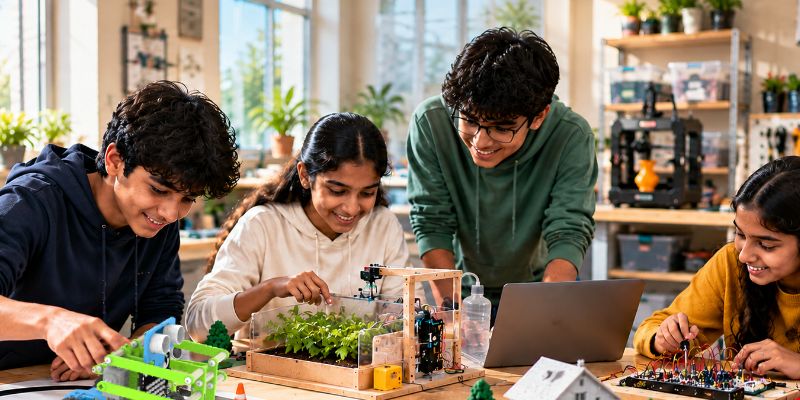
The best way to understand this Form of Work is through projects where students can see the relationship between an idea and a physical outcome.
Possible projects include:
- Line-following robots
- Obstacle-avoiding robots
- AI-based object or voice recognition projects
- Home automation prototypes
- 3D-printed functional designs
- Drone and aeromodeling projects
- IoT-connected devices
- Robotic arm projects
- Autonomous vehicle models
The objective is not simply to complete a project. Students should understand why it works, identify what does not work, and improve the solution.
How STEMpedia Supports Work with Machines and Materials in CSL
A practical technology programme requires more than hardware. Schools also need a structured pathway for introducing concepts, conducting activities, training teachers, and progressively increasing project complexity.
STEMpedia’s wider CSL ecosystem brings together curriculum, practical activities, technology tools, teacher support, learning resources, and project-based learning. The Machines and Materials track forms the technology-focused part of this ecosystem, while the other Forms of Work provide exposure to life forms and human services.
For schools planning the wider implementation, these resources can be used at different stages:
- Selecting the right structure: How Should a School Choose Its Three CSL Domains?
- Understanding AI infrastructure: AI in Composite Skill Lab – What CBSE Means by AI Infrastructure?
- Preparing teachers: Teacher Training for Composite Skill Labs – How Schools Can Build CSL Readiness?
- Planning implementation: How to Set Up a Composite Skill Lab in Phases – From Readiness to Launch
The complete ecosystem is explained in Composite Skill Lab by STEMpedia: A Complete NEP 2020 & NCF-SE Aligned Solution.
Conclusion
Work with Machines and Materials allows students to understand how ideas become working systems through coding, electronics, robotics, engineering, design, and hands-on making.
Instead of treating technology as something students only consume, a Composite Skill Lab can help them learn how to build, test, troubleshoot, and improve technology themselves.
The learning journey can be captured in one simple progression:
Code → Build → Test → Troubleshoot → Innovate
AI, Robotics, and ICT form an important part of STEMpedia’s broader Composite Skill Lab model, while the other Forms of Work help students explore agriculture, services, entrepreneurship, and other practical areas.