As education continues to evolve in the digital age, the line between imagination and innovation grows thinner every day. From coding and robotics to AI and AR, students are no longer just learning—they’re creating, experimenting, and shaping the future. At the heart of this shift is PictoBlox, an all-in-one coding and AI platform built to inspire learners of every age.
With the release of PictoBlox Version 9.0.0, the platform enters a new stage of evolution. This update introduces creative environments, stronger extensions, and smoother user experiences, all designed to make learning more immersive, intuitive, and limitless than ever. Explore everything new in this major release below.
Download the latest version of PictoBlox and start your creative coding journey today!
What’s Improved and New in PictoBlox?
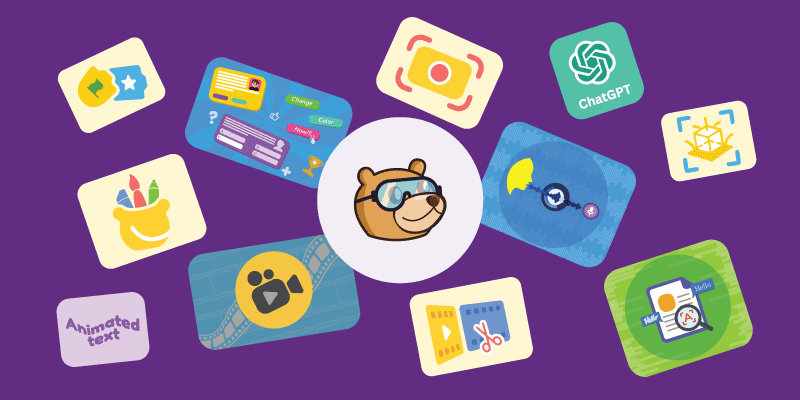
The latest PictoBlox update is one of its most significant yet. From reorganized coding blocks to enhanced AI features, nearly every area has been refined to improve usability and clarity. The interface is cleaner, performance is smoother, and AI and hardware integration is more reliable. Overall, users enjoy a more comfortable and intuitive learning journey where they can create, explore, and experiment without confusion.
Environments included in this update:
- Junior Blocks Environment
- Video Editor Environment
- 3D and XR Studio
- Paint Editor Environment
- Screen Recorder Environment
Extensions included:
- Content Creation Extension
- ChatGPT Extension
- Video Player Extension
- Text Recognition Extension
- Speech Recognition Extension
- Text Animation Extension
Introducing New Creative Environments
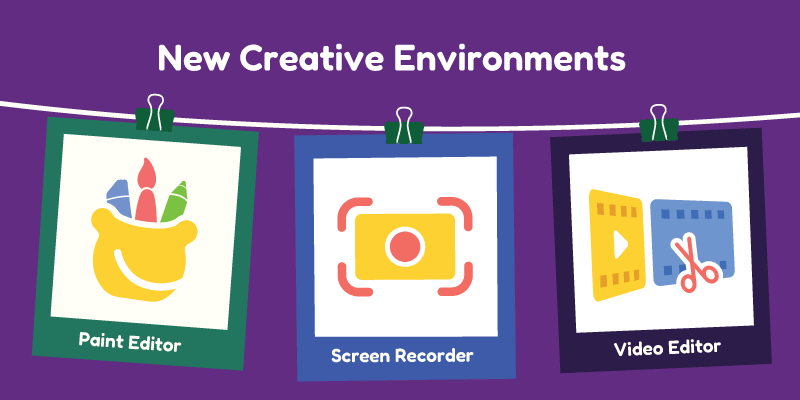
PictoBlox is evolving, and with it comes a whole new world of creative spaces. These environments are designed to inspire, simplify, and empower giving you the freedom to experiment, explore, and bring ideas to life like never before. Get ready to discover a whole new way to create, learn, and innovate.
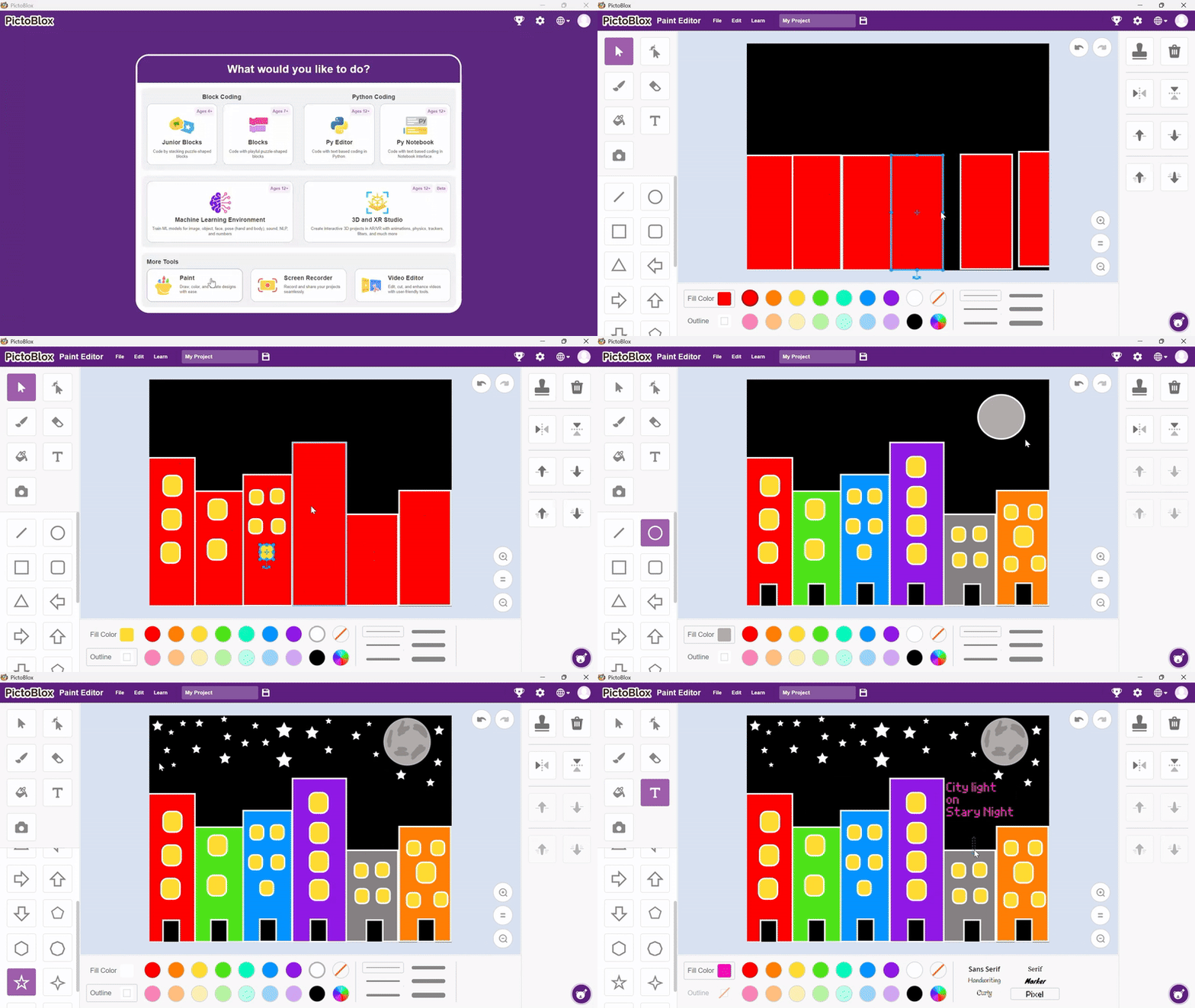
New Paint Editor
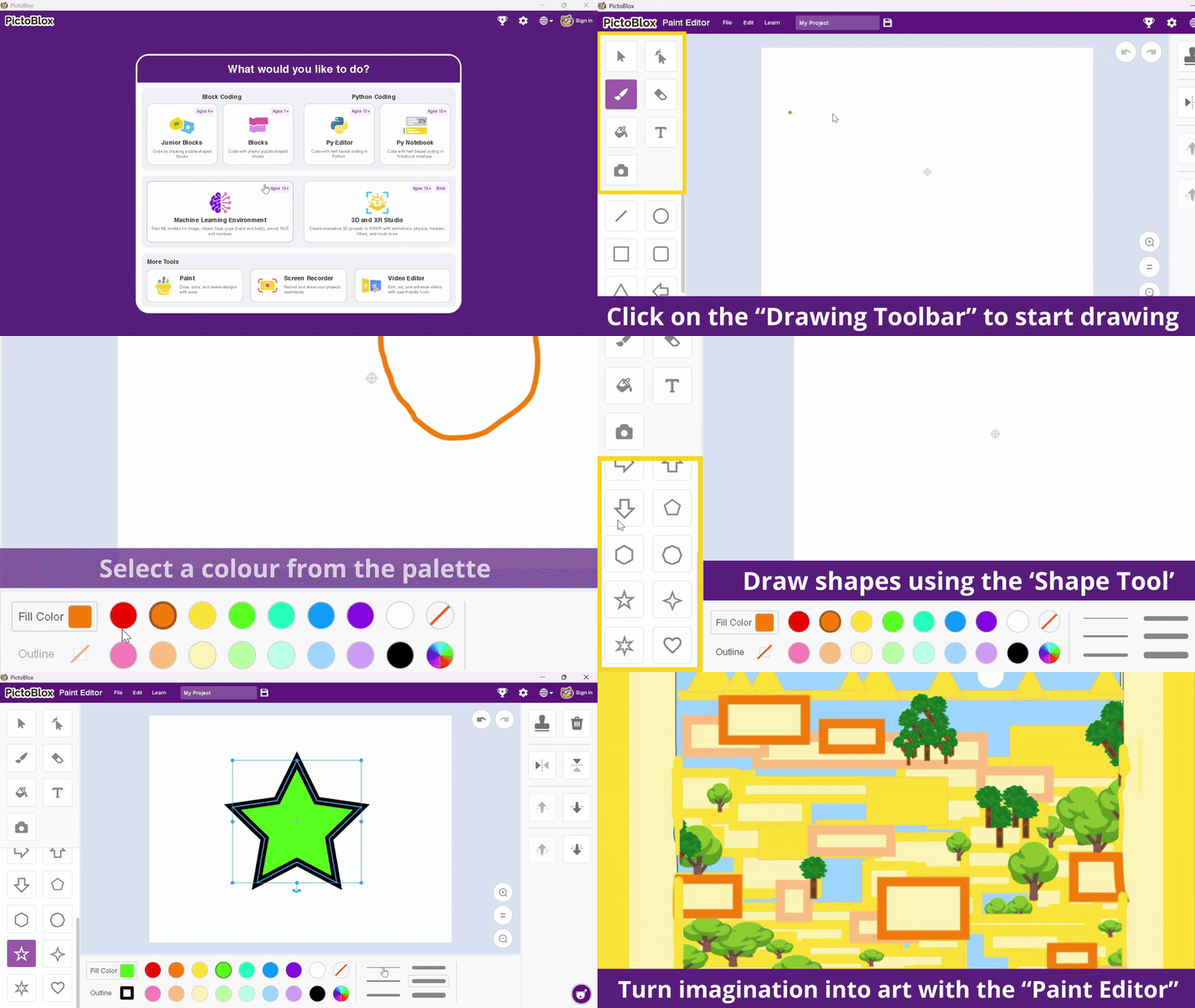
Creativity just got a smoother upgrade!
The improved tools and clean UI make the painting process not just easier but also incredibly satisfying.
The new Paint Editor comes with a completely refined user interface, offering smoother drawing and editing experiences. Whether you’re sketching characters, designing backdrops, or customising sprites, every stroke now feels natural, responsive, and fun.
Video Editor Environment
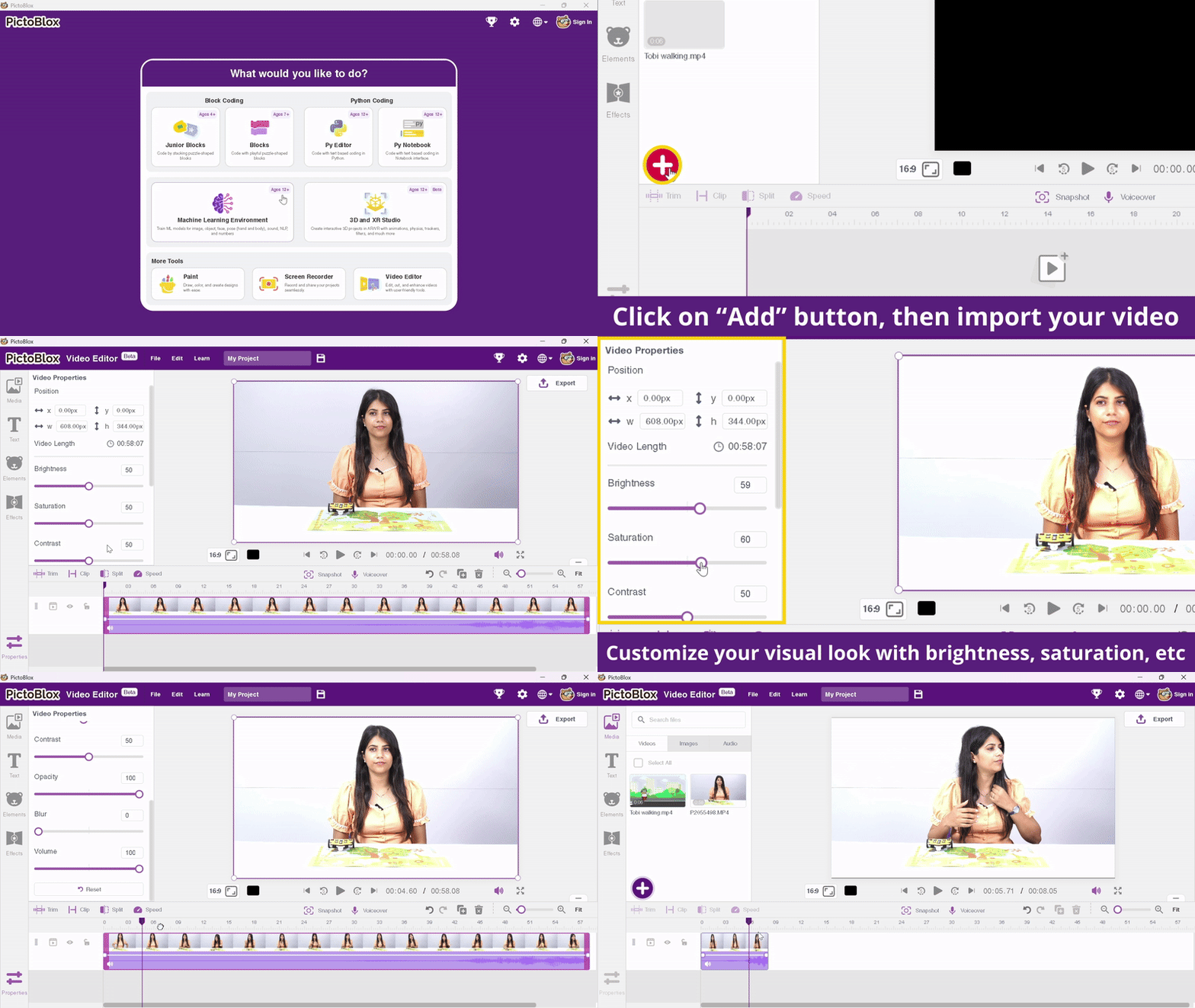
The new Video Editor transforms PictoBlox into a complete video-creation studio. Users can edit, assemble, and enhance videos directly within the platform—perfect for tutorials, storytelling, presentations, and more. Transitions, clip edits, and effects can all be added in one streamlined workspace, enabling students and educators to bring ideas to life effortlessly.
Improved Screen Recorder
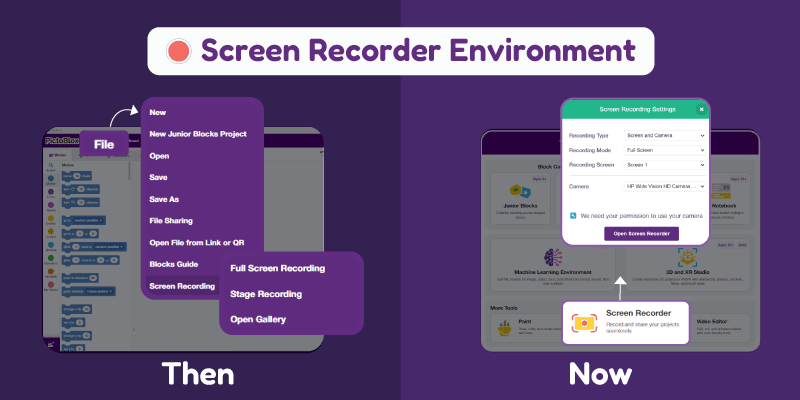
The upgraded Screen Recorder now supports higher FPS, multi-window recording, and faster processing. Whether used for lessons, walkthroughs, or demonstrations, recordings look clearer and more professional. Users can open the video directly in the Video Editor for further editing and export it as MP3.
Junior Blocks: Smarter, Louder, and More Fun
- The Text-to-Speech block in PictoBlox Junior lets you turn any written text into spoken audio directly inside your project. It’s a simple but useful tool for adding narration, dialogue, or voice prompts to animations, games, and interactive lessons—without needing any recorded sound.
- Interactive Storytelling: Kids can now make their sprites (characters) talk aloud simply by typing text into the block. This makes it effortless to create dynamic dialogues, narrate adventures, or even have characters interact with the user!
- Early AI Exposure: By using this block, children are engaging with a core Artificial Intelligence concept—Speech Synthesis—making sophisticated technology intuitive and fun right from the start.
- New Example Projects: Three fantastic new Wizbot example projects have been added to the library. These ready-to-code activities serve as a perfect, guided introduction, making the process of controlling a physical robot more structured and engaging than ever.
- Play-Based Learning: The entire interface is designed around play, encouraging the development of essential skills like sequencing, logical reasoning, and critical thinking through highly visual and hands-on activities.3D and XR Studio Upgrades
The 3D and XR Studio now includes powerful upgrades:
Welcome to the future of immersive learning!
The 3D and XR Studio now comes with a range of new capabilities that redefine how students interact with virtual environments:
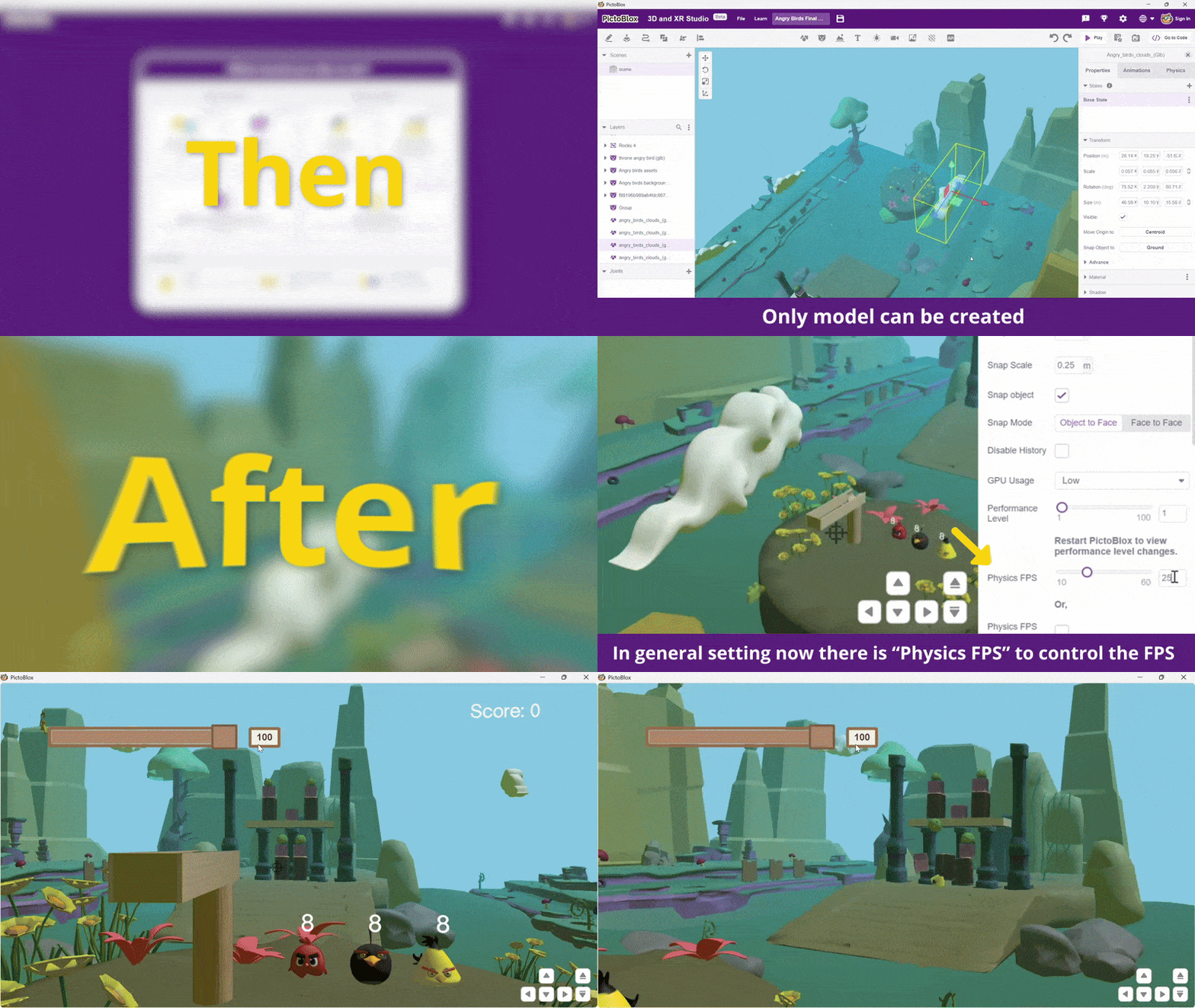
- Physics FPS control: Allows the user to set the specific rate (Frames Per Second) at which the physics engine calculates movement and collisions. This ensures simulations are stable, consistent, and highly accurate, regardless of computer speed.
- Improved image tracking and marker tracking: The system can now more reliably, quickly, and accurately detect and follow physical images (Image Tracking) or printed QR/fiducial markers (Marker Tracking). This results in stable, high-precision Augmented Reality (AR) experiences..
Steps to Use Marker Tracking in PictoBlox XR Environment
1. Open PictoBlox and switch to the XR Environment.
2. Create a new project.
3. Go to the AR Tracker section.
4. Select Marker Tracker.
5. In the Layers panel, click on Marker Tracker.
6. On the right side (Properties panel), upload your tracker image.
7. Download the uploaded tracker image using the Download icon.
8. Send the downloaded image to your phone or another device.
9. Enable the tracker by clicking on the Enable checkbox/button.
10. Show the marker (on your phone or printed) to the webcam to see the tracking working.
11. Right-click on Marker Tracker → Add Layers → Add 3D Object → Box.
12. Refresh the Enable button if needed and observe the box following the marker.
13. If the box appears far or misplaced, set the Box Position in the Properties to:
X: 0
Y: 0
Z: 0
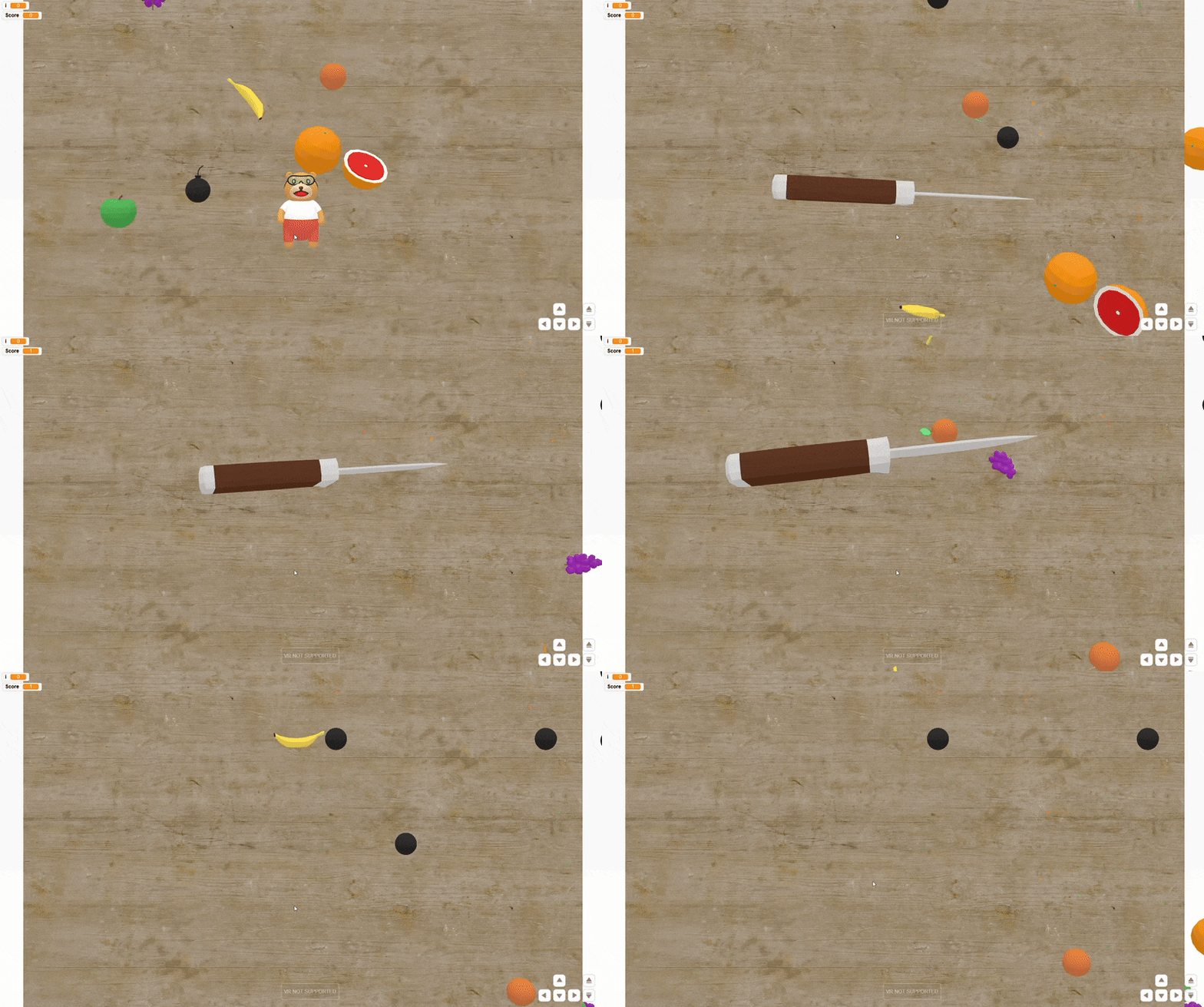
- Fullscreen recording: A new built-in feature to capture a video of the running XR scene in high quality, directly from the code or stage window. Great for easily documenting, presenting, and sharing projects.
- Mirror mode: An option to horizontally flip the live webcam feed (left-to-right). This makes the view intuitive and natural for the user when interacting with AR/XR experiences using a front-facing camera.
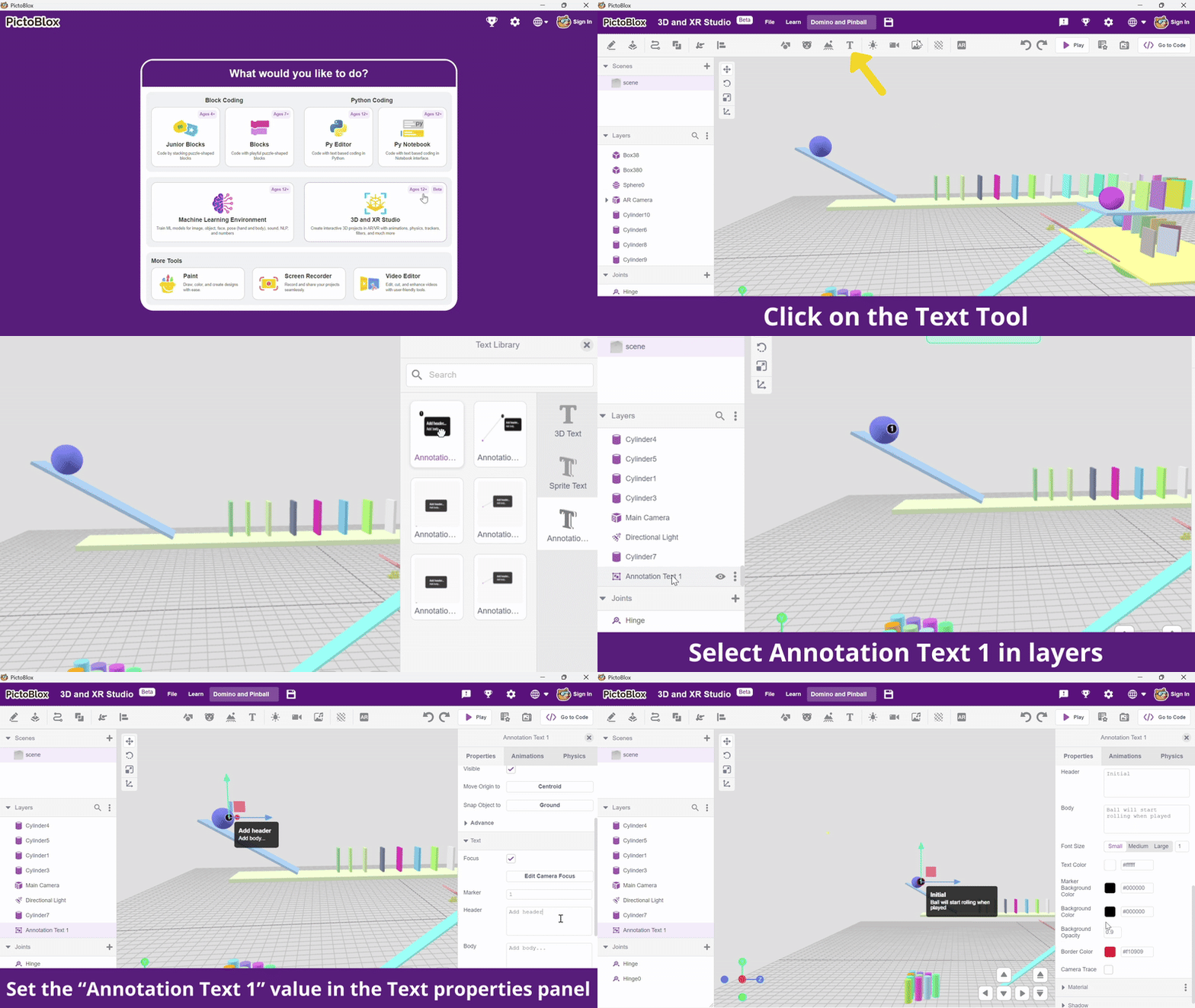
- Annotation Text: A tool to add and manage custom textual labels or notes that are dynamically displayed in the 3D/XR environment. Essential for creating interactive educational presentations.
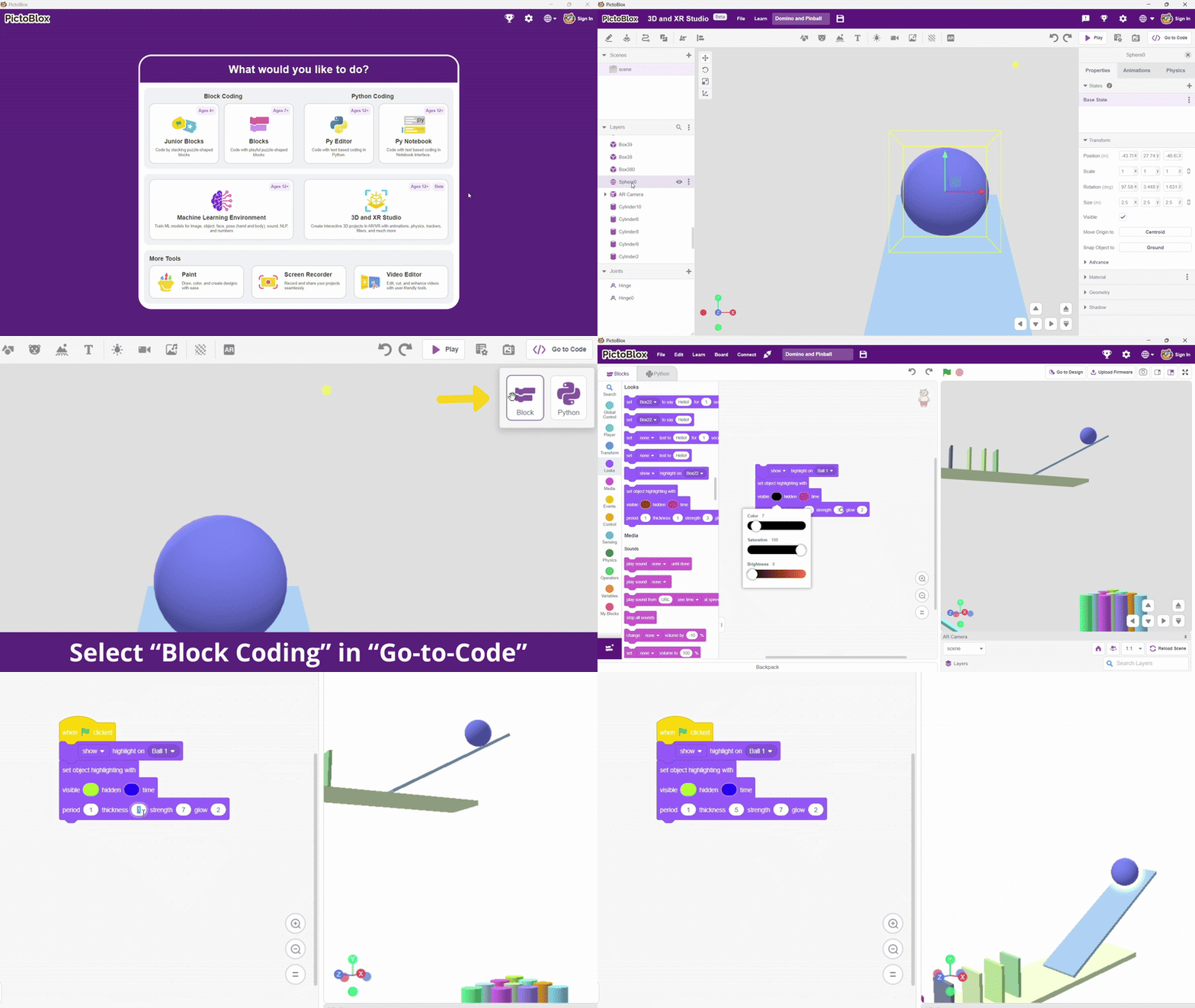
- Highlight, outline, and glow blocks: New visual styling blocks/tools to make 3D objects “pop” or stand out. Used to draw the user’s focus to specific elements or to indicate that an object is interactive.
- Aspect ratio options (1:1, 16:9, 9:16): Predefined screen proportions users can select. This ensures the project looks correct and consistent whether viewed on a square display (1:1), a widescreen monitor (16:9), or a vertical smartphone (9:16).
New and Upgraded Extensions and Blocks
PictoBlox 9.0.0 introduces several enhancements and new extensions designed to improve creativity, performance, and the user experience.
New Animated Text Extension
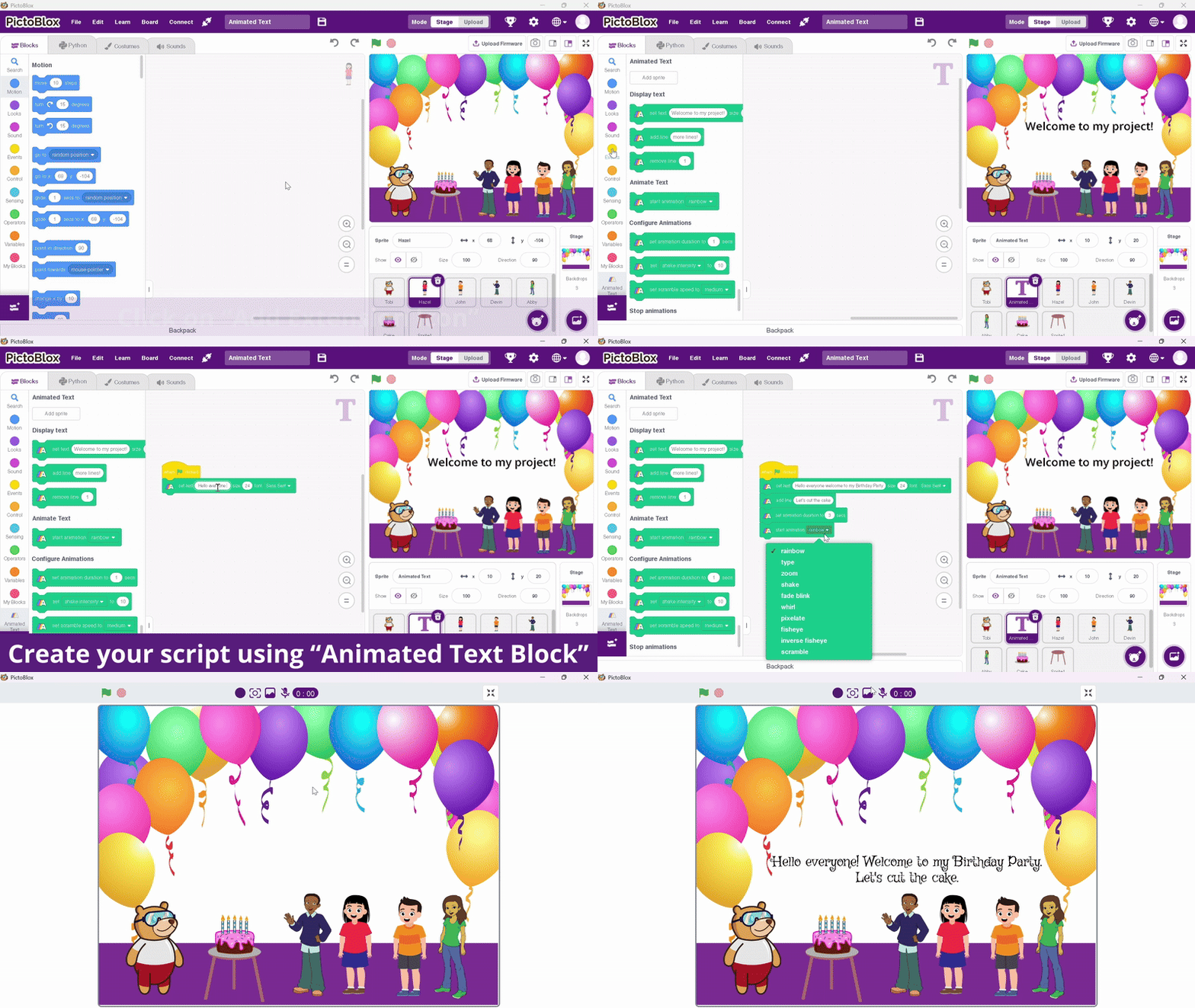
Text animation is a key part of storytelling, helping creators guide attention, express emotion, and make scenes feel more dynamic. Whether you’re building dialogues, presentations, or interactive lessons, animated text adds clarity and impact to every moment.
The new Text Animation Extension in PictoBlox brings these possibilities to life with smooth effects like fade-ins, slide-ins, typewriter reveals, and scaling. Users can fine-tune each animation with custom timing, easing, and direction, making it easy to create clean, polished transitions that enhance any storyboard or UI sequence.
Content Creation Extension Updates
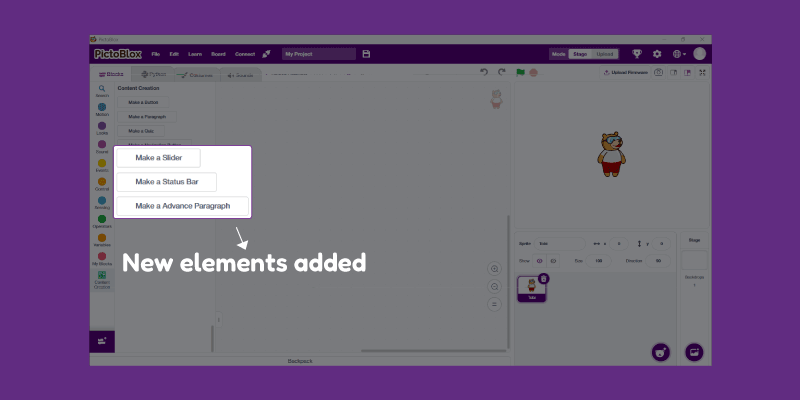
The Content Creation Extension now includes new UI elements such as:
- Slider
- Status Bar
- Advanced Paragraph
These additions enable more flexible, visually rich interface designs. Combined with performance improvements and bug fixes, the extension is now more stable and robust.
ChatGPT Extension Enhancements
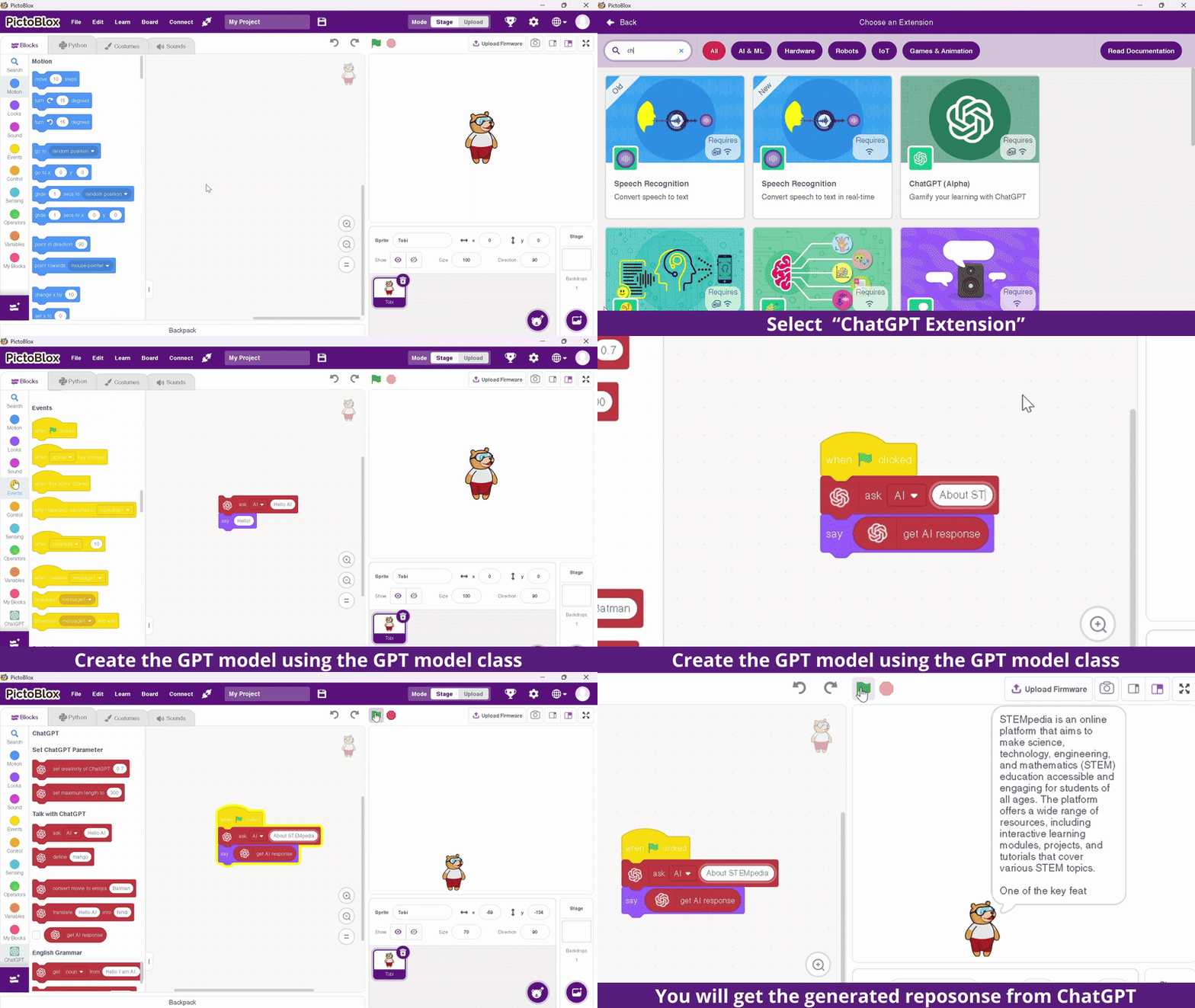
- Faster API Calls: The extension is now optimised for efficiency with an increased limit of 50 requests every 5 minutes.
- Custom API Control: A new block has been introduced that lets users (educators and advanced learners) set their own API key, providing more control and flexibility.
- Students can now interact, raise queries, and learn using generative AI seamlessly within their projects, enhancing both creativity and problem-solving skills.
Video Player Extension Improvements
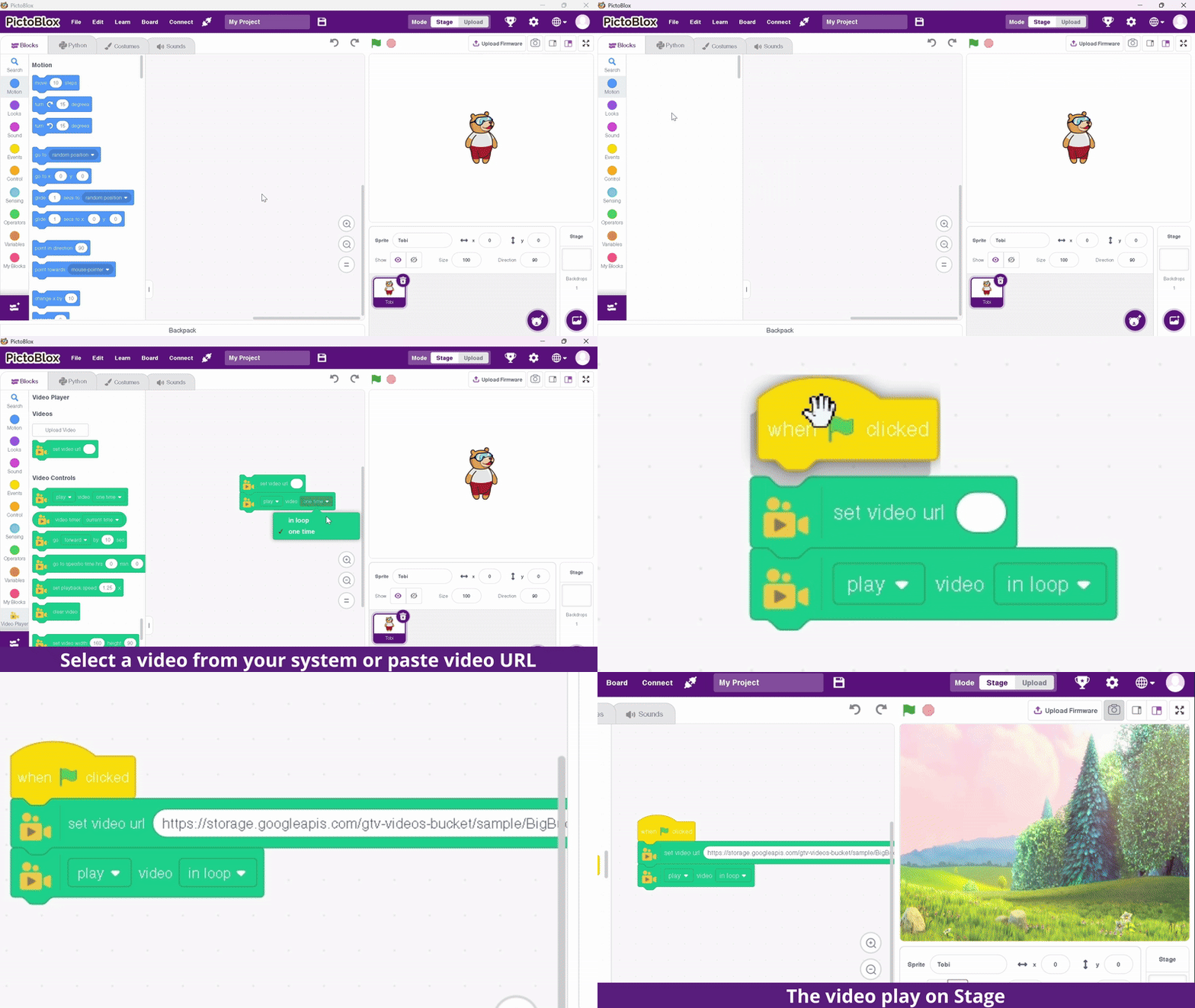
The improved Video Player Extension offers smoother decoding, reduced buffering, and better compatibility with MP4 and web‑optimized formats. This enables users to embed instructional videos, experimental footage, or reference animations inside projects without lag. Ideal for interactive tutorials, multimedia‑rich educational apps, and digital storytelling modules.
Boards and Hardware Integration
Wizbot Maxx now integrates seamlessly into both the Blocks Environment and Junior Blocks, enabling smooth robot control and coding through PictoBlox.
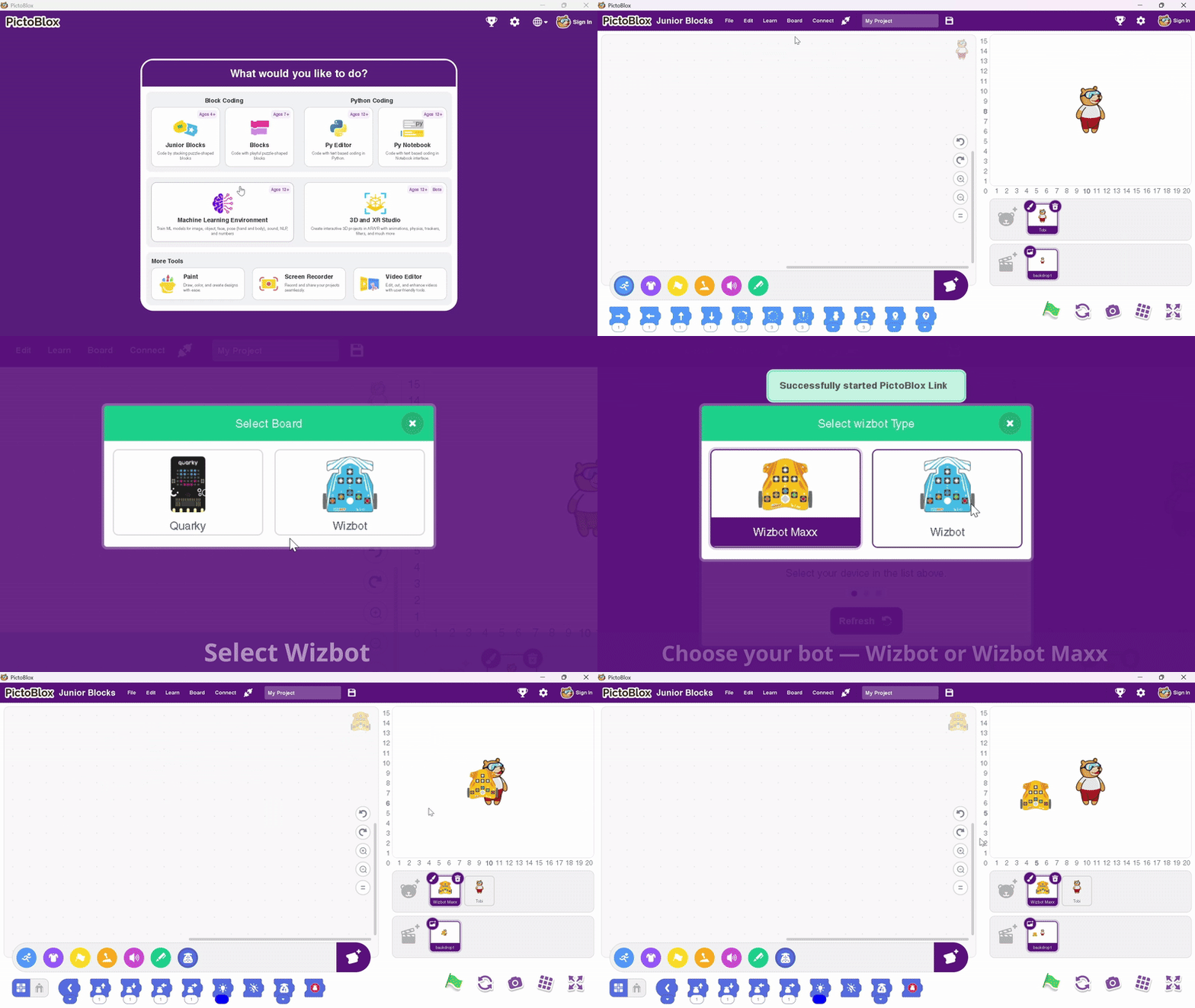
Board management has also improved with:
- Silent firmware updates
- Auto-upload support
- Updated icons
- Cleaner connection interface
These enhancements ensure a more reliable physical-computing experience.
UI/UX Advancements
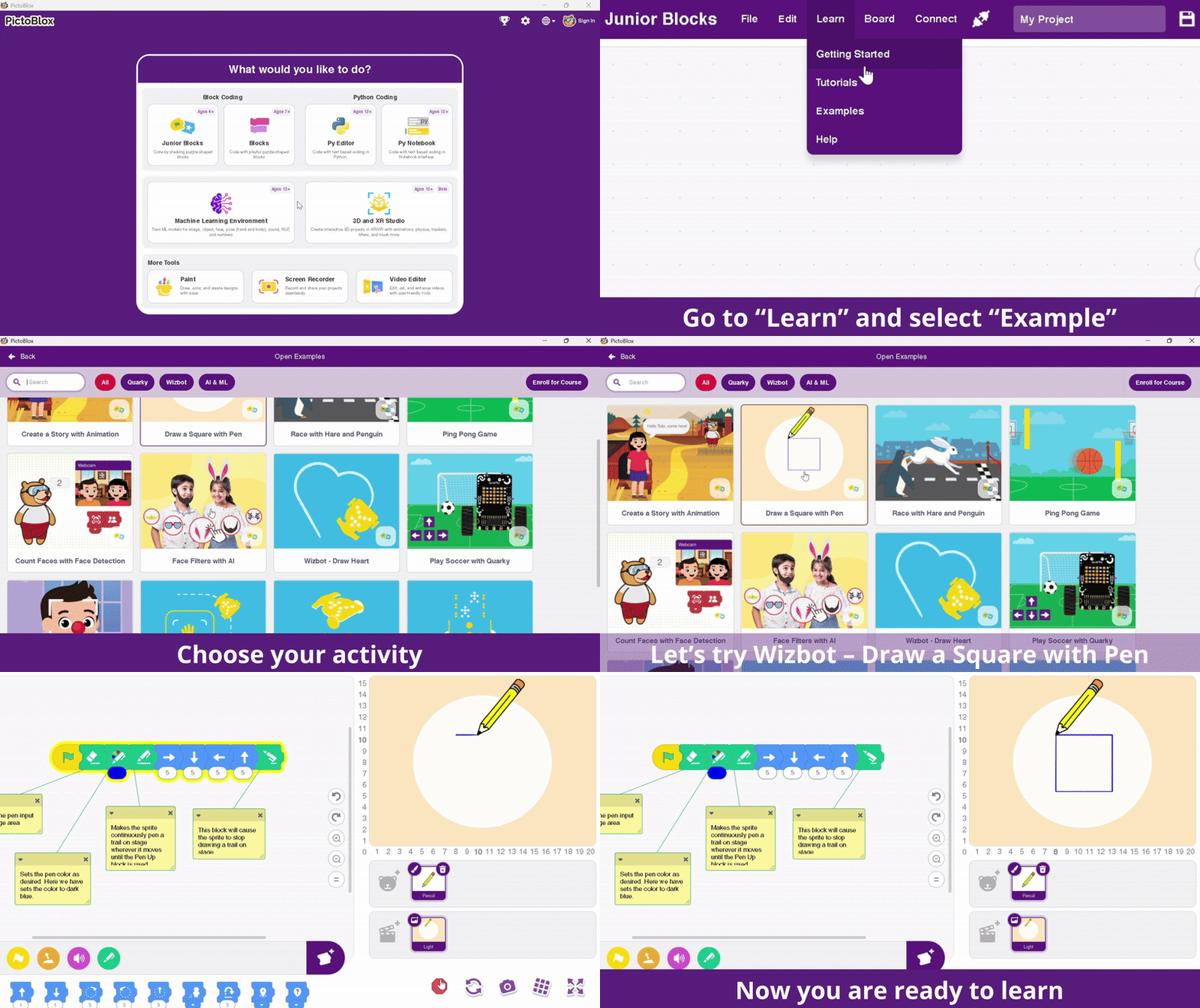
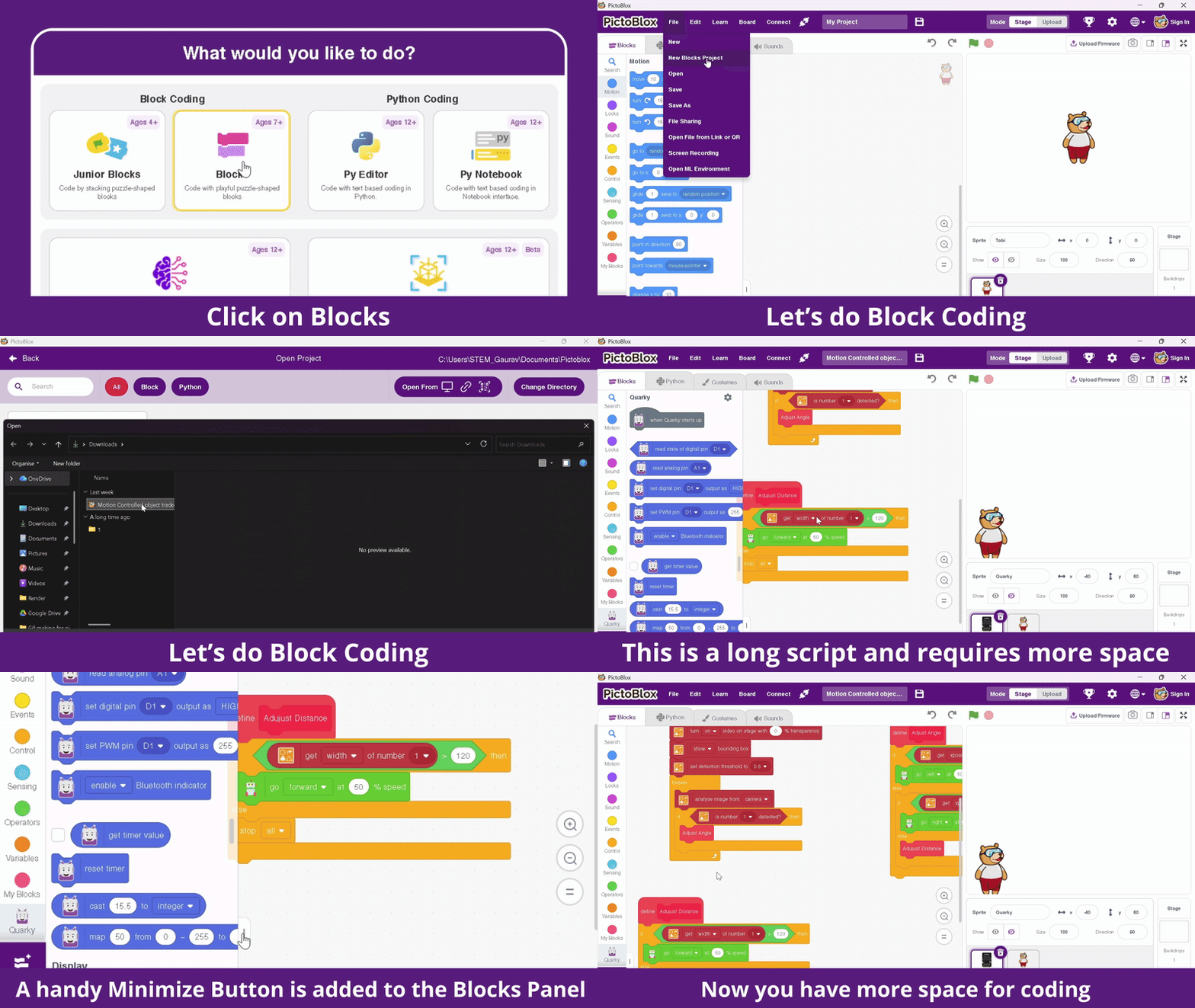
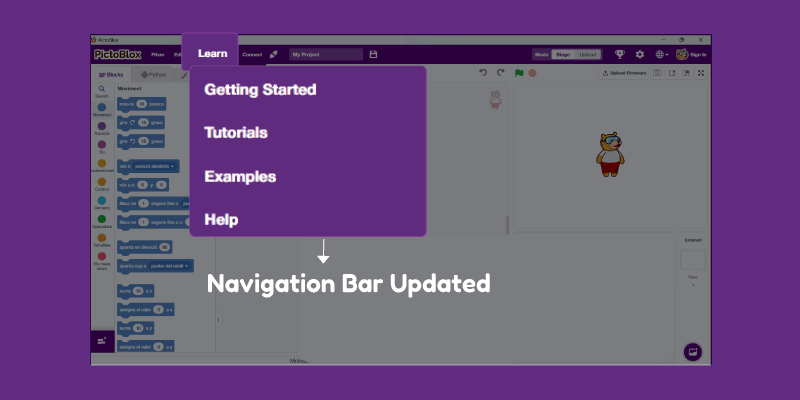
The new “Minimise Side Palette” option lets users instantly hide the block palette, giving more space for complex scripting and debugging. The navigation bar has been unified into a single “Learn” menu for quicker access to guides, tutorials, and examples.
Minimise Side Palette: Complex projects demand space. So for maximum visibility over the code, a handy Minimise Button is added to the Blocks Panel. Now, with a single click, you can tuck the blocks palette away, immediately freeing up significant screen space. This is especially useful for debugging long scripts or working on complex projects where maximising the scripting area is essential for a clear view of your code flow. It’s a small button, but a massive boost to your coding efficiency!
Navigation bar: We’ve made accessing help and tutorials easier than ever by consolidating all your essential learning resources into a single, convenient menu, simply titled “Learn.” You can now find everything you need in one unified place, whether you’re looking for Getting Started, tutorials, or example projects. This streamlined approach ensures you spend less time navigating and more time learning and creating.
Latest Bug Fixes
This update includes many behind-the-scenes improvements, including:
- Fixes to disappearing blocks in 3D/XR environments
- Improved Wizbot blocks performance
- Multi-sprite pen input fixes
- Better TTS compatibility in 3D/XR
- Enhanced multilingual support in Python Editor
- UI refinements
- Increased C++ stability
- A complete fix for the Weather Extension API
Upcoming Features v9.1.0
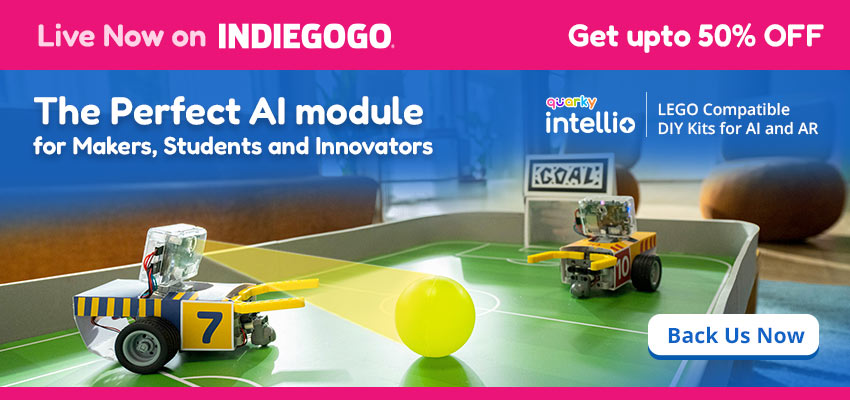
- Quarky Intellio: LEGO-compatible DIY Kits for AI and AR
- Shared Variables: Enables real-time multiplayer interaction, allowing users from anywhere in the world to connect and play games together using cloud-based data.
- Google Classroom Integration: Submit assignments from PictoBlox straight to Google Classroom with a single click.
- Image Processing Extension: A powerful OpenCV-based extension enabling real-time image filtering, detection, and transformations directly within PictoBlox
- Controls: A simplified and intuitive interface to control robot actions directly through the software.
- Improved Example Screen: A redesigned examples flow tailored to user age, learning level, and capabilities for easier navigation.
- Quarky Connect: Connect multiple Quarky devices simultaneously using one master Quarky and multiple other units.
- Advanced Quarky Sensors: New sensor integrations including color, gyroscope, accelerometer, pulse, water flow, pH sensor, OLED display, and LCD modules.
In a Nutshell
The all-new PictoBlox 9.0.0 marks a bold step forward in transforming how students and educators experience coding, AI, and creativity. With an upgraded ecosystem of environments, this release makes learning more interactive, visual, and hands-on than ever before. Every feature has been thoughtfully designed to inspire young innovators and empower teachers to bring lessons to life through immersive storytelling, robotics, and real-world problem-solving.
Beyond the creative environments, PictoBlox 9.0.0 introduces a wave of new features and extensions that push the boundaries of what’s possible in a coding platform. With major bug fixes across 3D, XR, and Python environments, smoother performance, and an all-new auto-update feature, the experience is as seamless as it is inspiring.
Whether you’re an educator, a beginner, or an advanced learner, PictoBlox 9.0.0 is your launchpad to create, code, and innovate without limits.