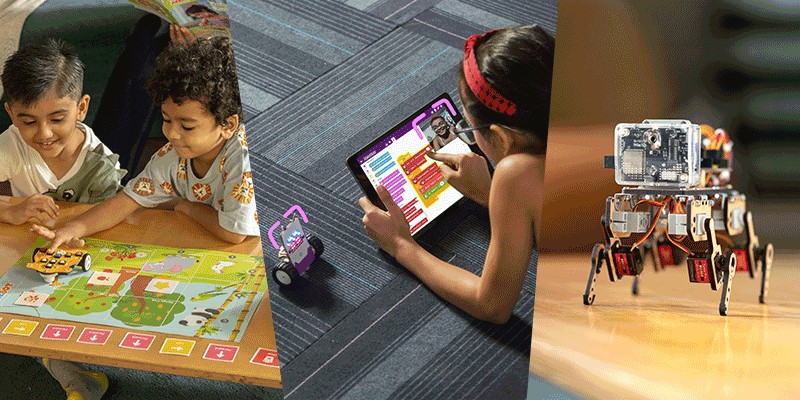
Technology is becoming a part of every industry, every classroom, and almost every aspect of daily life. The children of today will grow into a world shaped by Artificial Intelligence, robotics, automation, machine learning, and smart systems.
Preparing children for that future does not begin with advanced theory. It begins with curiosity, creativity, and hands-on activities.
Imagine your child building a robot that responds to commands, creating animations through coding, training an AI model, or designing projects that interact with the real world. These activities do more than teach technology; they help children become creators, innovators, and problem-solvers.
This guide explores age-wise AI, coding, and robotics activities for children aged 4 to 18, organised using STEMpedia tools including PictoBlox, Quarky, Quarky Intellio, and Wizbot Maxx. Every activity is designed to encourage exploration, experimentation, and meaningful learning.
How is this Guide Organised?
Activities are grouped according to age and learning progression:
- Screen-free, physical, playful → Wizbot Maxx
- Block coding, animation, first AI Sensors, AI, interactive systems, and Machine learning → Quarky + PictoBlox
- Python, Interaction and advanced robotics → Quarky Intellio + PictoBlox
Each group introduces new concepts while gradually increasing complexity.
Beginner Activities — Play, Explore, and Build Foundations
Wizbot Maxx introduces children to sequencing, cause-and-effect relationships, and early computational thinking through hands-on robotics activities.
What children learn:
- Explore movement-based games
- Learn sequencing through button controls
- Develop logical thinking
- Build confidence through interactive play
Start Exploring Robotics and Creative Thinking
These activities are designed for learners taking their first steps in technology. Children explore movement, logic, storytelling, and basic coding concepts through playful experiences.
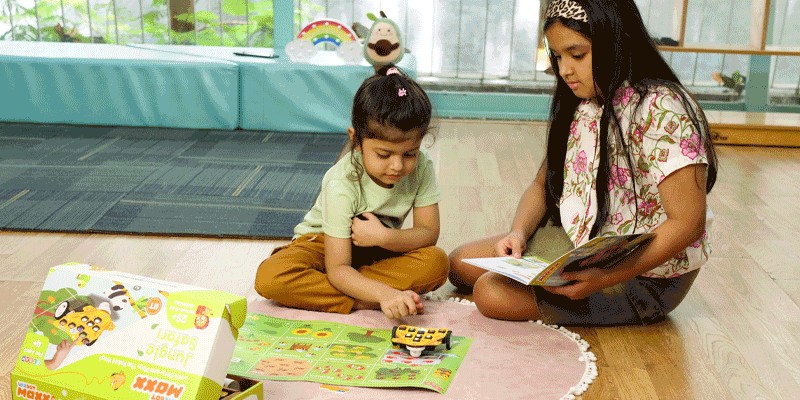
Activity 1: Jungle Rescue Adventure
Children guide Wizbot Maxx through a jungle arena and help animals safely reach their destination. Children create movement sequences and learn direction control while improving logical thinking and planning skills.
What children learn:
- Sequencing
- Direction understanding
- Early computational thinking
- Problem solving
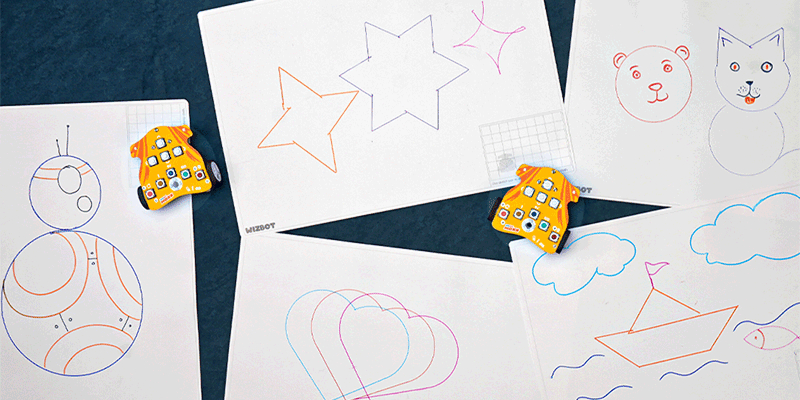
Activity 2: Shape Drawing Challenge
Children use Wizbot Maxx in draw mode to create shapes such as squares, triangles, zig-zags, and patterns. This introduces movement logic and spatial understanding through fun drawing activities.
What children learn:
- Pattern creation
- Shape recognition
- Motion planning
- Visual thinking
If you want your child to start with hands-on robotics playfully, Wizbot Maxx is a great companion.
Explore Wizbot Maxx for your child’s screen-free summer learning.
Intermediate Activities — Create, Animate, and Explore AI
At this stage, children move from playing with technology to creating with it. They begin building projects that run on screen and projects that respond to the real world — connecting code to sensors, LEDs, motors, and AI extensions.
Using PictoBlox and Quarky together, children can build animations, AI projects, and interactive hardware systems that do something meaningful.
What children learn:
- Create animations and games
- Learn block-based coding
- Explore beginner AI concepts
- Connect code to physical hardware
- Build sensor-based systems
- Design interactive projects
Build Games, AI Projects, and First Hardware Systems with PictoBlox and Quarky
At this stage, children discover that code can control not just what happens on a screen but what happens in the physical world.
Activity 1: AI Emoji Detector
Children use PictoBlox Face Detection with Quarky to build an AI-powered expression-mimicking robot. The system reads facial expressions through the camera and displays matching emojis or reactions on Quarky’s LED matrix.
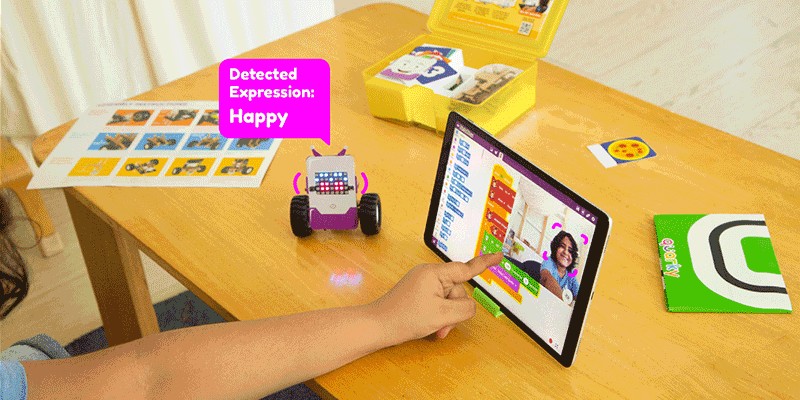
When a happy face is detected, Quarky displays a smiling emoji with a cheerful response. For a sad expression, Quarky shows a sad emoji and a softer reaction. When a surprised face is recognised, Quarky displays a wide-eyed expression and performs a different action.
Children create the conditions and responses using block coding, then test the project by making different facial expressions in front of the camera.
What children learn:
- Introduction to Face Detection AI and real-world input processing
- Conditional logic — if this expression, then perform this action
- LED matrix control using Quarky
- Human–robot interaction concepts
- Testing, debugging, and improving responses
- Understanding that AI systems can be designed and programmed
Activity 2: Smart Plant Drip Irrigation System
Children use Quarky with sensors and PictoBlox to build an intelligent plant drip irrigation system that automatically monitors soil moisture and waters plants when needed.
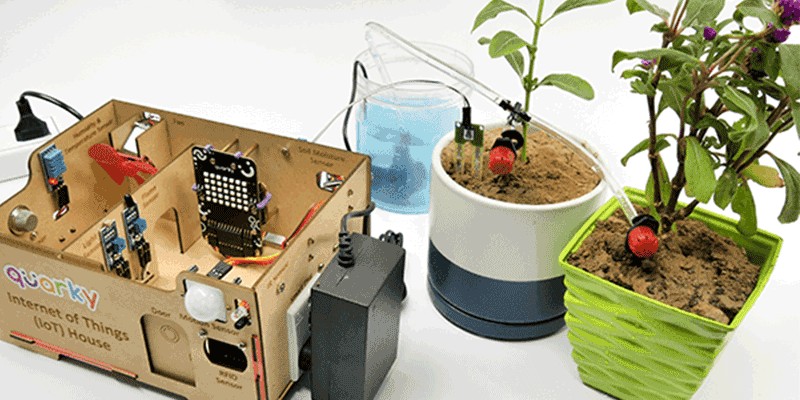
The system continuously checks the moisture level of the soil using a sensor. When the soil becomes dry, Quarky activates the irrigation system and starts supplying water to the plant. Once the moisture level reaches a healthy range, the watering automatically stops.
Children experiment by changing soil conditions, testing moisture levels, and adjusting threshold values to understand how the system responds in real time. Children can further customise the project by adding LEDs, alerts, or status indicators to show whether the plant needs water or not.
What children learn:
- Introduction to sensors and environmental monitoring
- Soil moisture detection and real-world input processing
- Conditional logic — if the soil is dry, start watering
- Automation and smart irrigation concepts
- Testing, calibration, and threshold adjustment
- Understanding how technology can solve real-life problems
- Building practical IoT and smart farming projects
If your child is curious about games, animation, AI, or hardware projects, PictoBlox and Quarky are the ideal tools to start creating rather than just consuming.
Download PictoBlox Free and Explore Quarky →
Advanced Activities — Sense, Respond, and Solve Problems
At this stage, children move beyond coding and begin creating intelligent systems that can observe, analyse, respond, and learn from the real world.
Using Quarky Intellio with PictoBlox, children explore Artificial Intelligence, Machine Learning, Computer Vision, Python programming, and smart automation systems while building projects that solve real-world problems.
Children can:
- Train machine learning models
- Build computer vision projects
- Create AI-powered systems
- Explore face, object, and gesture detection
- Develop smart automation solutions
- Build independent innovation projects
Advanced AI and Robotics with Quarky Intellio
Children move from creating interactive systems to building projects that can understand and respond intelligently.
Activity 1: Desk Companion
Children train a custom Machine Learning model using PictoBlox ML Studio to recognise emotional states such as focused, distracted, and tired using facial expressions captured through the Quarky Intellio camera.
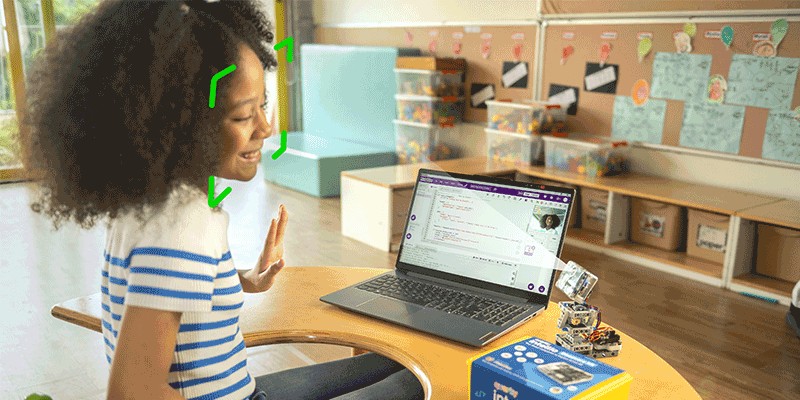
Children collect their own data samples, label the expressions, train the model, and evaluate its performance. Once the model is ready, they build an intelligent desk companion. When distraction is detected, Quarky Intellio gives a gentle reminder. When tiredness is recognised, the system suggests taking a short break. When focus is detected, the companion responds with encouraging messages.
Through experimentation, children discover that better training samples improve AI accuracy and that good data is more important than simply collecting large amounts of data.
What children learn:
- Complete Machine Learning workflow — collect, label, train, evaluate, improve, deploy
- AI model development using real data
- Computer Vision and facial analysis
- Human-centred AI design
- Training data quality and model accuracy
- Independent AI project development
Activity 2: Intelligent Lane Follower Robot
Children build an AI-powered lane follower robot using Quarky Intellio, where the robot detects lane markings and automatically follows the path. Instead of relying only on simple sensor readings, children use Quarky Intellio’s vision capabilities to analyse the lane position and adjust movement in real time.
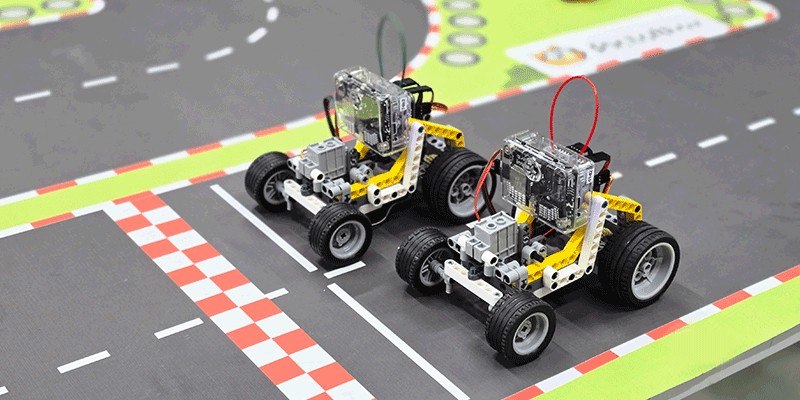
Children configure lane detection, test different track designs, adjust sensitivity values, and improve the robot’s turning behaviour for curves and intersections. As the robot moves, it continuously reads the lane position and corrects itself whenever it deviates from the path.
Through experimentation, children understand how intelligent navigation systems work and discover how AI vision can be applied to autonomous movement systems used in delivery robots, self-driving vehicles, and industrial automation.
You can also refer to the YouTube video “Quarky Intellio Rover Assembly Guide” for a step-by-step visual explanation.
What children learn:
- Computer Vision–based lane detection
- Intelligent navigation and path tracking
- Real-time decision-making and correction systems
- Robot movement control and optimisation
- AI applications in autonomous vehicles
- Testing, tuning, and improving system performance
- Independent robotics and AI project development
If your child is ready to move from coding projects to intelligent AI systems, Quarky Intellio provides the tools to build, experiment, and innovate.
Explore Quarky Intellio for advanced AI and machine learning →
In a Nutshell
AI, coding, and robotics are not just future technologies; they are creative tools children can use today.
Every activity begins with curiosity and ends with something meaningful that children build themselves.
Whether it is a screen-free robot game, an animation, an AI project, or an advanced robotics system, each experience helps children become creators instead of consumers.
Start small. Build something. See what happens next.