Many parents today feel a mix of excitement and apprehension as they prepare their children for a future dominated by technology. The world of robotics, in particular, can seem complex and intimidating, leaving people wondering where to begin. You want to provide your child with cutting-edge skills and foster their natural curiosity, but navigating the myriad of resources and concepts can be overwhelming.
The truth is, introducing robotics to kids doesn’t have to be daunting. It’s a fantastic pathway to developing essential skills like critical thinking, problem-solving, and creativity, all while having fun. This guide is designed to demystify robotics for kids, offering a clear roadmap for parents and educators to introduce these exciting concepts effectively. We’ll explore everything from basic definitions to practical steps, ensuring your child gains valuable insights and confidence in a rapidly evolving technological landscape.
What is Robotics for Kids?
At its core, robotics for kids involves learning the fundamentals of science, technology, engineering, and mathematics (STEM) through the design, construction, and operation of robots. It’s not about building industrial machines, but rather engaging in hands-on activities that make complex ideas accessible and fun for young learners.
This educational approach often utilises age-appropriate kits and visual programming tools, allowing children to experiment, create, and understand how machines work and how to control them. Through playful exploration, children learn to think logically, understand cause-and-effect relationships, and develop the perseverance needed to tackle challenges.
The Benefits Extend Beyond Technical Skills, Fostering:
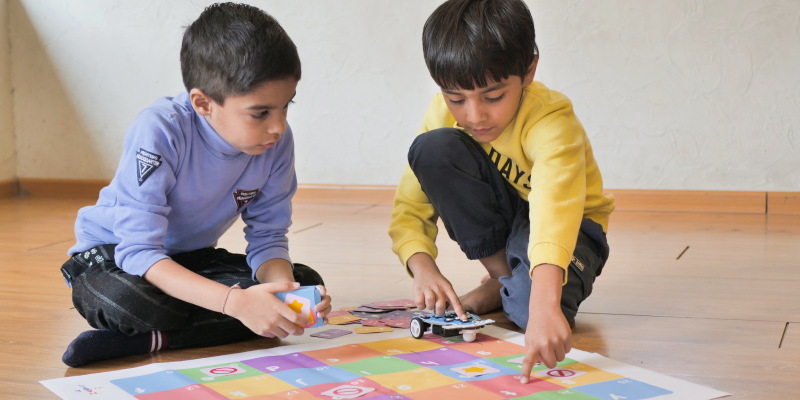
Computational Thinking: Breaking down problems into smaller, manageable steps is a key skill for coding and problem-solving.
Creativity and Innovation: Encouraging children to design unique solutions and imagine new possibilities for their robots.
Logical Reasoning: Understanding sequences, conditions, and loops in programming.
Teamwork and Communication: Often, robotics projects involve collaboration, teaching kids to work together and articulate their ideas.
Resilience: Learning to troubleshoot and debug, viewing “failures” as opportunities for learning and improvement.
Ultimately, robotics for kids is about sparking curiosity and building a foundational understanding of the principles that drive our modern world, preparing them not just for specific jobs but for a future that demands adaptable and innovative thinkers.
How Robotics Actually Works: The Core Pillars
To understand how a robot works, it’s helpful to think of it as an “Input-Process-Output” system, much like our own bodies or even computers. A robot takes information (input), thinks about it (process), and then acts on it (output).
The Magic Behind this System in Robotics for Kids can be Broken Down into Several Core Pillars:
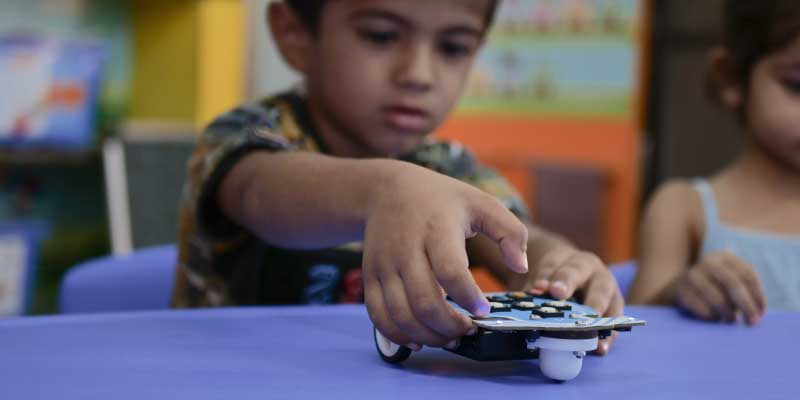
1. Mechanics – The Body
This pillar refers to the physical structure of the robot. Just like humans have skeletons, robots have frames, gears, wheels, or tracks that allow them to move and interact with the physical world. For kids, this often means snapping together components, understanding how motors turn wheels, and how levers can create movement. It’s the tangible part that they can build and manipulate.
2. Electronics – The Wiring
Consider this the robot’s nervous system. Electronics involve the circuits, wires, and components that deliver power and information throughout the robot. For beginner kits, this might involve connecting battery packs, LEDs, and small microcontrollers. Understanding basic electronics teaches children about electricity, power flow, and how different components work together.
3. Programming – The Brain’s Instructions
This is where the robot truly comes to life. Programming is the set of instructions, or code, that tells the robot what to do. For kids, this usually starts with visual, block-based programming languages like Scratch or similar drag-and-drop interfaces. They learn to sequence commands, create loops, and implement conditional statements (“if X happens, then do Y”). This pillar is crucial for developing computational thinking skills.
4. Sensors – The Robot’s Senses
How does a robot know what’s happening around it? Through sensors! These are like the robot’s eyes, ears, and sense of touch, helping it observe its surroundings and react intelligently.
The sensors make learning highly interactive and intuitive. For example, STEMpedia’s Quarky comes with built-in and expandable sensor support, which allows children to experience how real robots see, feel, and respond to the world around them.
Distance Sensors: To detect how far away an object is.
Light Sensors: To measure ambient light or detect lines.
Touch Sensors: To know when something has been pressed or bumped.
Learning about sensors teaches children about perception and how robots gather information from their environment to make decisions.
5. Actuators – The Robot’s Muscles
Once the robot has processed information, it needs to act. Actuators are components that enable the robot to move or perform physical tasks. The most common actuators are motors, which make wheels spin, arms lift, or grippers close. Other examples include LEDs that light up or buzzers that make sounds. Actuators are how the robot carries out its programmed instructions and interacts with the world.
By exploring these five pillars, children gain a holistic understanding of how robots are designed, built, and programmed to perform specific functions, laying a robust foundation for future learning in technology and engineering.
How To Introduce Robotics Step By Step for Kids
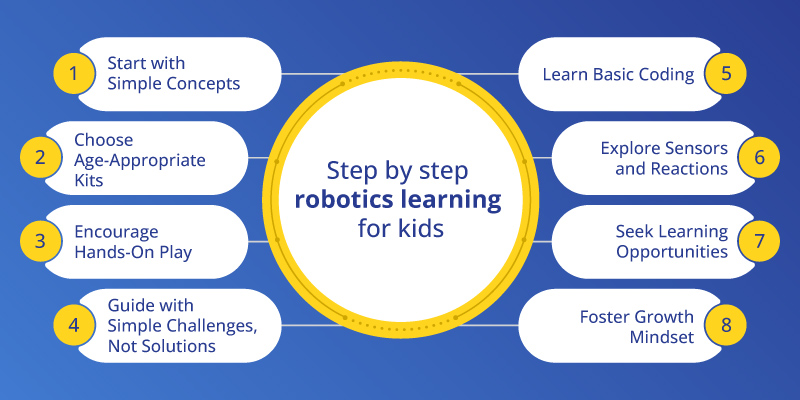
Starting with robotics can be an exciting journey for children and parents alike. Here’s a step-by-step guide to help you introduce the fascinating world of robotics to your kids:
1. Start with Simple Concepts and Curiosity
Begin by discussing what robots are; they are machines, and where they see them in their day-to-day life (e.g., vacuum cleaners, automatic doors, assembly lines in videos). Encourage them to read books about robots or watch age-appropriate documentaries. Spark their natural curiosity by asking questions like, “How do you think that robot works?” or “What kind of robot would you like to invent?”
2. Choose Age-Appropriate Kits and Tools
The market offers a wide range of robotics kits. For younger children (4-7), look for kits that involve simple push-button commands like Wizbot Maxx, magnetic connections, or block-based coding with minimal pieces. For older children (8-12), kits that introduce basic circuit building, more complex mechanical assembly, like the Quarky DIY robotics kit, which allows kids to learn robotics with 12+ configuration.
3. Encourage Hands-On Exploration and Play
Once you have a kit, let your child explore! The initial stages should focus on discovery and play, not on strict adherence to instructions. Allow them to connect parts in different ways, see what happens, and understand cause-and-effect. Don’t worry about “breaking” it;- most educational kits are designed to be durable and forgiving for beginners.
4. Guide with Simple Challenges, Not Solutions
Instead of giving direct answers, present open-ended challenges. For example, “Can you make the robot move from this point to that point without touching the wall?” or “How can we make the robot light up when it gets dark?” This encourages problem-solving and critical thinking rather than just following instructions. Celebrate every attempt and iteration.
5. Learn Basic Coding with Visual Programming
Introduce coding gradually. Start with visual programming interfaces where children drag and drop code blocks to create sequences, loops, and conditions. These platforms are incredibly intuitive and teach fundamental programming logic without the complexities of syntax.
Visual programming environments like PictoBlox are ideal for kids to learn coding in early age. PictoBlox seamlessly supports a transition from block-based coding to text-based programming with Python, enabling kids to work on more advanced projects. Focus on kits that offer structured challenges but also allow free exploration.
6. Explore Sensors and Reactions
Once they’re comfortable with basic movement and coding, introduce sensors using robots like Quarky. Show them how a light sensor can make the robot react to light, or a touch sensor can make it stop when it bumps into something. This teaches them about a robot’s interaction with its environment and how to create more intelligent, responsive behaviours.
7. Seek Structured Learning Opportunities
Consider enrolling your child in a robotics workshop, camp, or after-school club. These environments offer structured learning, access to specialised equipment, and the opportunity to collaborate with peers who share similar interests. STEMpedia offers comprehensive Robotics Lab solutions and curriculum tailored for schools to support this journey.
8. Foster a Growth Mindset
Emphasise that mistakes are an essential part of the learning process. Debugging, finding and fixing errors in code or construction, is a core skill in robotics. Encourage perseverance and celebrate the “aha!” moments when they figure something out on their own. This builds resilience and confidence.
Common Mistakes and Myths About Robotics for Kids
Navigating the world of educational robotics can sometimes lead to misconceptions or common pitfalls. Understanding these can help parents and educators create a more effective and enjoyable learning experience.
Common Mistakes
Overcomplicating Early Projects: Trying to build highly complex robots from the outset can lead to frustration. Start with simple tasks and gradually increase complexity.
Focusing Only on the Final Product: Learning is in the process, problem-solving, debugging, and iterative design,- not just in the robot working perfectly at the end.
Not Allowing for Independent Exploration: While guidance is good, too much hand-holding stifles creativity and independent thinking. Let kids experiment and discover on their own.
Ignoring the “Why”: Just building isn’t enough; encourage kids to think about why a component works a certain way or why a particular line of code is needed.
Lack of Real-World Connection: Not relating robotics concepts to real-world applications can make the learning seem abstract and less engaging.
Common Myths:
Myth: Robotics is too hard for young children.
Reality: This is a misconception. Modern robotics labs like STEMpedia’s AI & Robotics Lab are designed with age-appropriate kits and programs for preschoolers and early elementary students that introduce concepts through play, large manipulatives, and intuitive visual coding.
Myth: You need advanced technical knowledge to teach robotics.
Reality: Many beginner robotics kits come with comprehensive guides, online tutorials, and block-based programming interfaces that are easy for parents and educators with no prior experience to pick up and learn alongside their children.
Myth: Robotics is only for “techy” or “nerdy” kids.
Reality: Robotics is interdisciplinary. It appeals to kids interested in engineering, as well as to those who love art (designing robot appearance), storytelling (creating narratives for robot actions), and problem-solving. It fosters a wide range of skills beneficial to all children.
Myth: It’s just about building machines, not about creativity.
Reality: While building is a key component, robotics is a highly creative field. Children design solutions, imagine new robot functionalities, and write unique code to bring their ideas to life.
Myth: Robotics is an expensive hobby.
Reality: While some advanced tools can be costly, school-based Robotics Labs and their modular kits make robotics learning accessible to schools and families across a wide range of budgets.
By debunking these myths and avoiding common mistakes, you can create a more positive, enriching, and effective robotics learning experience for your child.
Real Life Scenarios: Robotics for Every Age
Robotics education can be tailored to various age groups, ensuring concepts are engaging, challenging, and appropriate for each developmental stage. Here’s how robotics can look for different ages:
For the Curious Kindergartener (Ages 4-6)
At this age, the focus is on sensory exploration, cause-and-effect, and simple sequencing. Robotics for this group emphasises tangible interaction and immediate feedback.
Activity Example: Using a screen-free, programmable floor robot such as Wizbot Maxx. Children press the robot’s directional arrows to create a short sequence of movements. They might program it to move from a “start” mat to a “finish” mat, avoiding obstacles, or to draw a simple shape with a marker.
Learning Focus:
- Sequencing: Understanding that actions happen in a specific order.
- Spatial Awareness: Developing a sense of direction and distance.
- Problem-Solving: Figuring out which commands to give to reach a goal.
- Motor Skills: Manipulating physical buttons and robot parts.
Simple starter kits like Wizbot Neo Classroom Program for Kindergarten encourage free play and basic programming logic.
For the Budding Engineer (Ages 7-10)
Children in this age range are ready for more complex thinking, visual programming, and basic mechanical assembly. They can start understanding conditional logic and more elaborate problem-solving.
Activity Example: Building a simple robot car using STEMpedia’s Quarky, a programmable AI and robotics kit. They would then use a drag-and-drop block-based coding app (like PictoBlox or similar) on a tablet or computer to program the car to follow a line, stop at a specific colour, or react to a sound. They might add a simple sensor, such as an ultrasonic distance sensor.
Learning Focus:
- Computational Thinking: Breaking down tasks, creating algorithms, and debugging code.
- Mechanical Principles: How gears, axles, and motors work together.
- Basic Electronics: Understanding simple circuits and power flow.
- Conditional Logic: “If this happens, then do that.”
For the Advanced Innovator (Ages 11-14)
At this stage, kids are ready for deeper dives into programming, more sophisticated sensor integration, and understanding the design process behind robotics. They can tackle more open-ended projects and even participate in competitions.
Activity Example: Designing and building a robot arm that can pick up and move objects. This would involve more precise mechanical construction, multiple motors, and potentially an introduction to text-based coding (e.g., Python or Arduino C++). They might program the arm to respond to specific voice commands or to automate a sorting task using colour sensors.
Learning Focus:
- Advanced Programming: Looping structures, functions, variables, and potentially object-oriented concepts.
- System Integration: Combining mechanical, electronic, and software components seamlessly.
- Design Thinking: Iterating on designs, testing, and refining solutions to complex problems.
- Data Interpretation: Understanding sensor data and using it to make intelligent decisions.
STEMpedia’s Approach to Robotics Education
At STEMpedia, we believe that every child deserves the opportunity to explore the exciting world of robotics and develop the skills necessary for the future. Our philosophy centres on making STEM education accessible, engaging, and hands-on, transforming complex concepts into enjoyable learning experiences.
We provide a comprehensive ecosystem for robotics education, from DIY kits that spark initial curiosity to structured curriculums designed for classroom integration. Our approach emphasises experiential learning, where children don’t just consume information, but actively build, program, experiment, and troubleshoot. This process fosters not only technical proficiency but also critical soft skills like creativity, perseverance, and collaborative problem-solving.
Whether it’s through our user-friendly kits, our support for creating a cutting-edge Robotics Lab for School, or our detailed Curriculum and Books, STEMpedia is dedicated to empowering the next generation of innovators and thinkers. We aim to equip children with the confidence and knowledge to not just understand technology, but to shape it.
Still Not Sure? Addressing Common Objections
It’s natural to have questions when considering introducing a new and seemingly complex subject like robotics to your children. Here are some common concerns and our insights:
Q: Isn’t robotics education very expensive?
A: While some high-end robotics setups can be a significant investment, there are options for every budget. Many entry-level kits are very affordable, and there are numerous free online resources, block-based coding platforms, and community workshops that offer accessible ways to get started without breaking the bank. STEMpedia also offers solutions that deliver maximum value and longevity for both individual learners and educational institutions.
Q: What if my child isn’t interested in traditional “tech” subjects?
A: Robotics is much more than just “tech.” It’s a multidisciplinary field that combines engineering, design, art, and even storytelling. Children who love to build, design, draw, or create narratives can find a passionate outlet in robotics by customising their robots, designing challenges, or creating stories around their robots’ actions. It often appeals to a broader range of interests than initially perceived.
Q: How much time will this require from me as a parent or educator?
A: The time commitment is flexible. Even short, consistent sessions (e.g., 20-30 minutes a few times a week) can be incredibly beneficial. Many kits are designed for independent exploration, requiring minimal supervision once the basics are understood. For educators, our comprehensive curriculum and teacher training significantly reduce preparation time. The key is consistency and creating a supportive learning environment, not constant direct instruction.
Q: Is robotics just a passing fad, or does it offer long-term value?
A: Robotics, along with artificial intelligence and automation, is a fundamental and growing part of our global economy and daily lives. The skills developed through robotics-computational thinking, problem-solving, creativity, critical analysis, and adaptability are evergreen and universally applicable. They are future-ready skills that will serve children well, regardless of their eventual career path.
Making It Work Long Term: Sustaining the Robotics Journey
Introducing robotics is just the first step. To ensure sustained interest and long-term skill development, consider these tips:
- Keep it Fun and Exploratory: Avoid rigid lessons. Let children lead their learning, pursuing projects that genuinely excite them. The joy of discovery is a powerful motivator.
- Connect to Real-World Applications: Help them see how robots solve problems in the real world, from manufacturing to space exploration, healthcare, or even entertainment. This makes learning relevant and inspiring.
- Encourage Sharing and Collaboration: Provide opportunities for your child to showcase their creations to family, friends, or even online communities. Collaboration on projects can also deepen their understanding and social skills.
- Continuously Offer New Challenges: As your child masters basic concepts, introduce new sensors, more complex programming challenges, or encourage them to design their own problems for the robot to solve.
- Support Evolving Interests: Robotics is a broad field. If they develop a stronger interest in coding, focus more on advanced programming. If it’s a mechanical design, encourage building more complex structures. Let their passion guide the way.
- Stay Curious Yourself: Show genuine interest in what they are doing. Learning alongside them can be a rewarding experience for both of you and model a lifelong love for learning.
By fostering a supportive and stimulating environment, you can help your child cultivate a lasting passion for robotics and equip them with invaluable skills for their future.
In a Nutshell
Robotics for kids is more than just a hobby; it’s a powerful educational tool that unlocks critical thinking, problem-solving abilities, and boundless creativity. By understanding its core principles, providing age-appropriate resources, and fostering a spirit of exploration, parents and educators can empower children to become confident, adaptable, and innovative thinkers ready to thrive in a technology-driven world.
Ready to spark your child’s potential? Explore STEMpedia’s comprehensive resources and embark on an exciting robotics journey with your child today!
Discover endless possibilities and ignite a passion for learning. Shop our robotics kits now.